Promote Image If No Vulnerabilities Found
Pull an existing image into an OCI layout, scan it, and publish that same layout to a release repository only when it passes the configured threshold.
Prerequisites
Use an active Enterprise subscription and a Docker-capable executor. OneDev itself can run natively. First publish a multi-platform image, for example with Scan Image Vulnerability Before Push.
The example assumes tutorial-image-scans/ci:clean already exists, and promotes it to tutorial-image-scans/release:clean on the same OneDev registry. Replace onedev.example.com and the project path with your own. Configure the package-token job secret with a token that can read the source and write the destination. Authorize the secret for the job's branch.
Configure the Promotion Job
- Add Pull Image. Set the source image and an OCI layout directory such as
promotion-image. Leave Platform empty to pull all platforms, and configure the registry login. - Add Trivy Container Image Scanner. Scan that directory, set Fail Threshold to High, and leave Platforms empty. Preserve the JSON report as an artifact if needed.
- Add Push Image. Push the same layout directory to the release repository. Set its execution condition to Successful and configure the destination registry login.
version: 53
jobs:
- name: Promote Image
  steps:
  - !PullImageStep
    name: Pull all platforms
    srcImage: onedev.example.com/tutorial-image-scans/ci:clean
    destPath: promotion-image
    registryLogins:
    - registryUrl: onedev.example.com
      userName: '@job_token@'
      passwordSecret: package-token
    condition: SUCCESSFUL
  - !ImageScannerStep
    name: Scan before promotion
    scanPath: promotion-image
    checkVulnerabilities: true
    reportName: Vulnerabilities
    failThreshold: HIGH
    publishJSONReportAsArtifact: true
    condition: SUCCESSFUL
  - !PushImageStep
    name: Promote all platforms
    srcPath: promotion-image
    destImage: onedev.example.com/tutorial-image-scans/release:clean
    registryLogins:
    - registryUrl: onedev.example.com
      userName: '@job_token@'
      passwordSecret: package-token
    condition: SUCCESSFUL
  retryCondition: never
  timeout: 900
The hostname above assumes HTTPS. For an isolated HTTP registry test, the pull and push steps both used --insecure under More Settings. The configured OneDev Server URL, including the advertised registry token endpoint, must be reachable from containers too.
If the image tag comes from repository files, add checkout before pulling. No checkout is required for this fixed-tag example. Prefer an immutable digest or a unique build tag when the source tag could change during promotion.
Verify the Result
Run the job and check that both platform scans succeed before the push step. The successful build's Container Image tab should contain the release image:
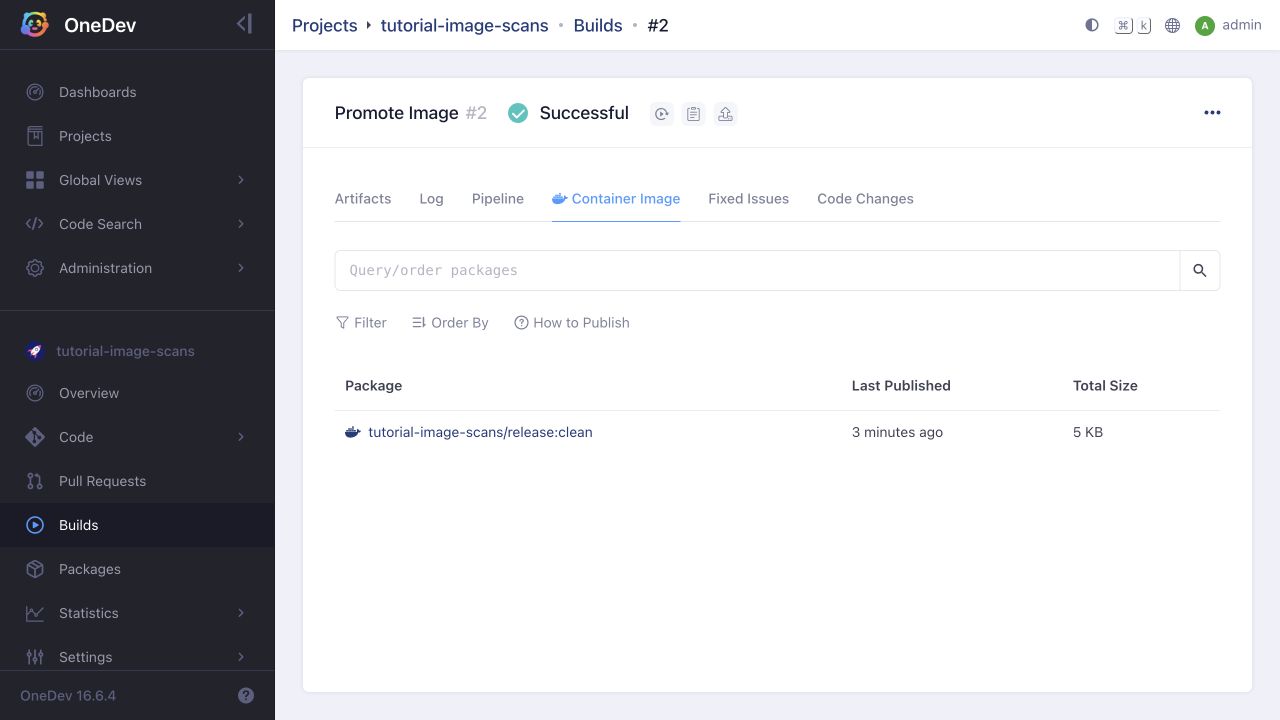
Compare the source and destination manifest digests, and inspect their platform lists. The local verification preserved exactly the same digest and both linux/amd64 and linux/arm64 variants; promotion did not rebuild the image.
If a scan fails, the push step must remain skipped. The build-and-scan tutorial demonstrates this failure gate. An optional Trivy cache step can speed up database downloads. Only configure an ignore file after assessing and recording why each finding does not apply; prefer fixing affected software.