Job Dispatch and Aggregation
Generate files in one job, process each file in a separate build, then collect the results. This example uses a single OneDev server with a Docker job executor. The Groovy script reads that server's artifact directory; a cluster requires a script that retrieves the artifact listing from the server holding the build.
List generated artifacts
In Administration > Groovy Scripts, add tutorial-artifact-names with this content:
import io.onedev.server.OneDev
import io.onedev.server.service.BuildService

def number = build.paramMap["upstream-build-number"][0] as Long
def upstream = OneDev.getInstance(BuildService.class).find(build.project, number)
return upstream.artifactsDir.listFiles().findAll { it.isFile() && it.name ==~ /file[0-9]+/ }.collect { it.name }.sort()
Enable Can Be Used By Jobs and restrict Job Authorization to "Project" is "tutorial-issues", replacing tutorial-issues with your project path. The script runs on the server and should only be available to trusted jobs.
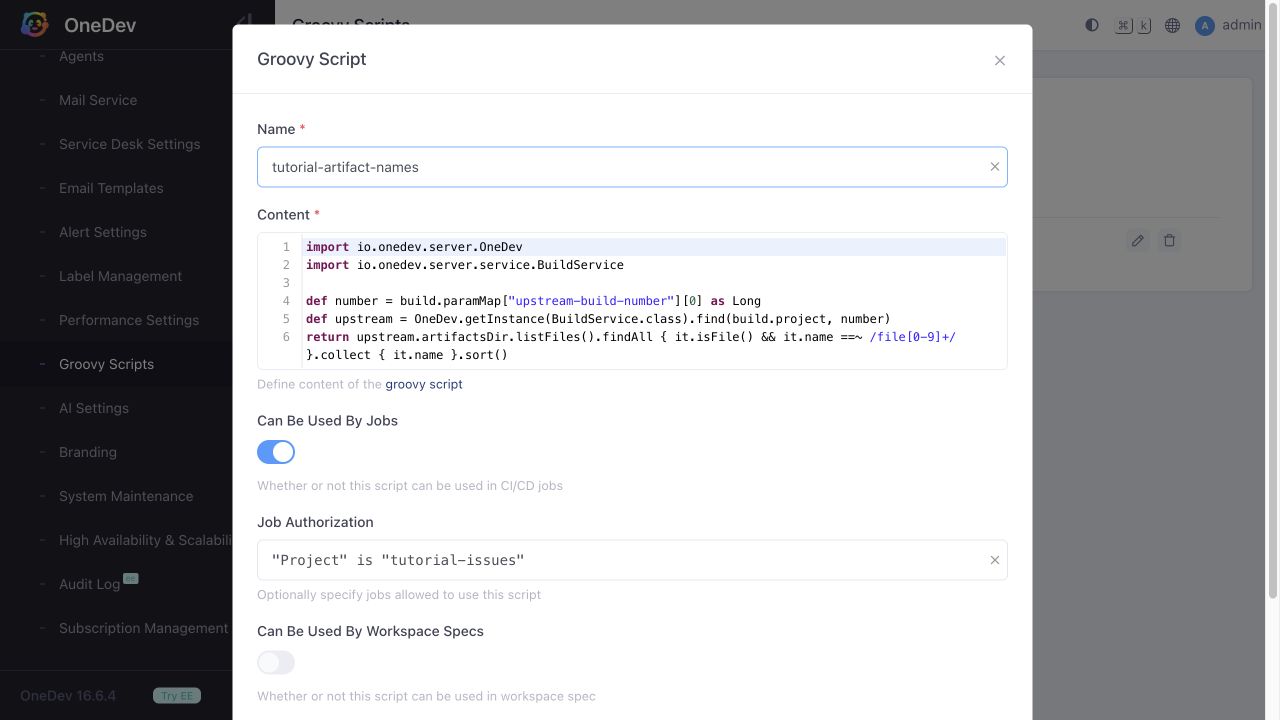
The name filter is intentional: OneDev keeps internal metadata in the artifact directory. Returning every directory entry would create a processing job for that metadata too.
Define the jobs
Save this .onedev-buildspec.yml in your project:
version: 53
jobs:
- name: Generate Files
  steps:
  - !CommandStep
    name: Generate Files
    runInContainer: true
    image: alpine:3.20
    interpreter: !PosixInterpreter
      shell: sh
      commands: |
        echo 1 > file1
        echo 2 > file2
        echo 3 > file3
    useTTY: false
    runAs: '0:0'
    condition: SUCCESSFUL
  - !PublishArtifactStep
    name: Publish generated files
    artifacts: file*
    condition: SUCCESSFUL
  postBuildActions:
  - !RunJobAction
    condition: successful
    jobName: Collect Files
    paramMatrix:
    - name: upstream-build-number
      valuesProvider: !SpecifiedValues
        values:
        - ['@build_number@']
  retryCondition: never
  maxRetries: 3
  retryDelay: 30
  timeout: 3600
- name: Process File
  steps:
  - !CommandStep
    name: Process File
    runInContainer: true
    image: alpine:3.20
    interpreter: !PosixInterpreter
      shell: sh
      commands: |
        set -eu
        echo "processed $(cat @param:file@)" > @param:file@
    useTTY: false
    runAs: '0:0'
    condition: SUCCESSFUL
  - !PublishArtifactStep
    name: Publish processed file
    artifacts: '@param:file@'
    condition: SUCCESSFUL
  paramSpecs:
  - !TextParam
    name: file
    allowEmpty: false
    allowMultiple: false
  jobDependencies:
  - jobName: Generate Files
    requireSuccessful: true
    artifacts: '@param:file@'
  retryCondition: never
  maxRetries: 3
  retryDelay: 30
  timeout: 3600
- name: Collect Files
  steps:
  - !CommandStep
    name: Collect Files
    runInContainer: true
    image: alpine:3.20
    interpreter: !PosixInterpreter
      shell: sh
      commands: |
        set -eu
        cat file*
        test "$(cat file1)" = "processed 1"
        test "$(cat file2)" = "processed 2"
        test "$(cat file3)" = "processed 3"
    useTTY: false
    runAs: '0:0'
    condition: SUCCESSFUL
  paramSpecs:
  - !TextParam
    name: upstream-build-number
    allowEmpty: false
    allowMultiple: false
  jobDependencies:
  - jobName: Process File
    requireSuccessful: true
    artifacts: file*
    paramMatrix:
    - name: file
      valuesProvider: !ScriptingValues
        scriptName: tutorial-artifact-names
  retryCondition: never
  maxRetries: 3
  retryDelay: 30
  timeout: 3600
The three jobs work together as follows:
- Generate Files writes
file1,file2, andfile3, then publishes them with a Publish Artifacts step. Its successful post-build action starts Collect Files and passes its build number. - Collect Files evaluates the script for the
fileparameter of its Process File dependency. Each returned filename creates one parameter combination, so three processing builds can run concurrently when executor capacity permits. - Each Process File build retrieves only its named artifact from Generate Files, prepends
processed, and publishes the result. Use@param:file@for the parameter variable. - Collect Files waits for all required processing builds to succeed, retrieves their artifacts, prints them, and checks the three expected results.
Run and verify
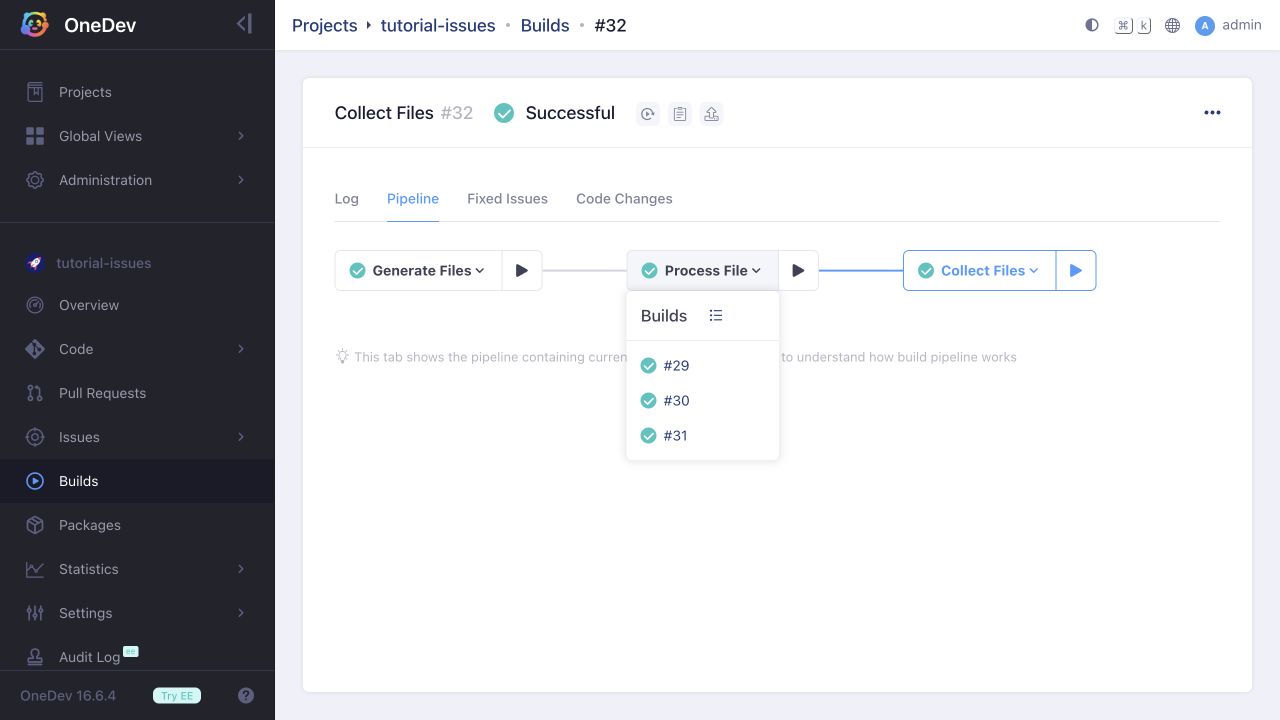
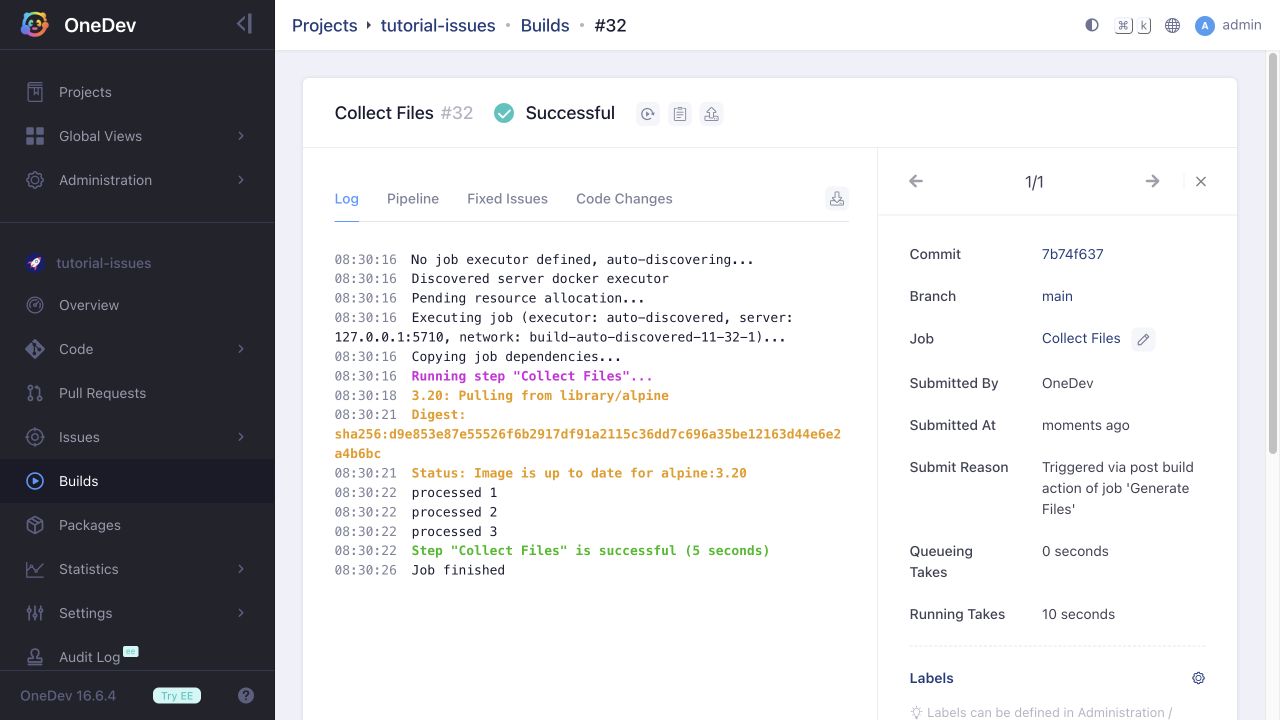
Run Generate Files and open its Pipeline tab. You should see three Process File builds and one Collect Files build. The final log contains:
processed 1
processed 2
processed 3