Use Job Secrets
Store secret values in project settings instead of committing them to the build specification, where anyone with code read permission could see them.
-
Open Settings → Build → Job Secrets and select Add New. Give the secret a name, enter its value, and configure Authorization for the builds that may use it. For example,
on branch "main"restricts use to authorized commits on that branch. See branch-specific secrets for branch authorization details.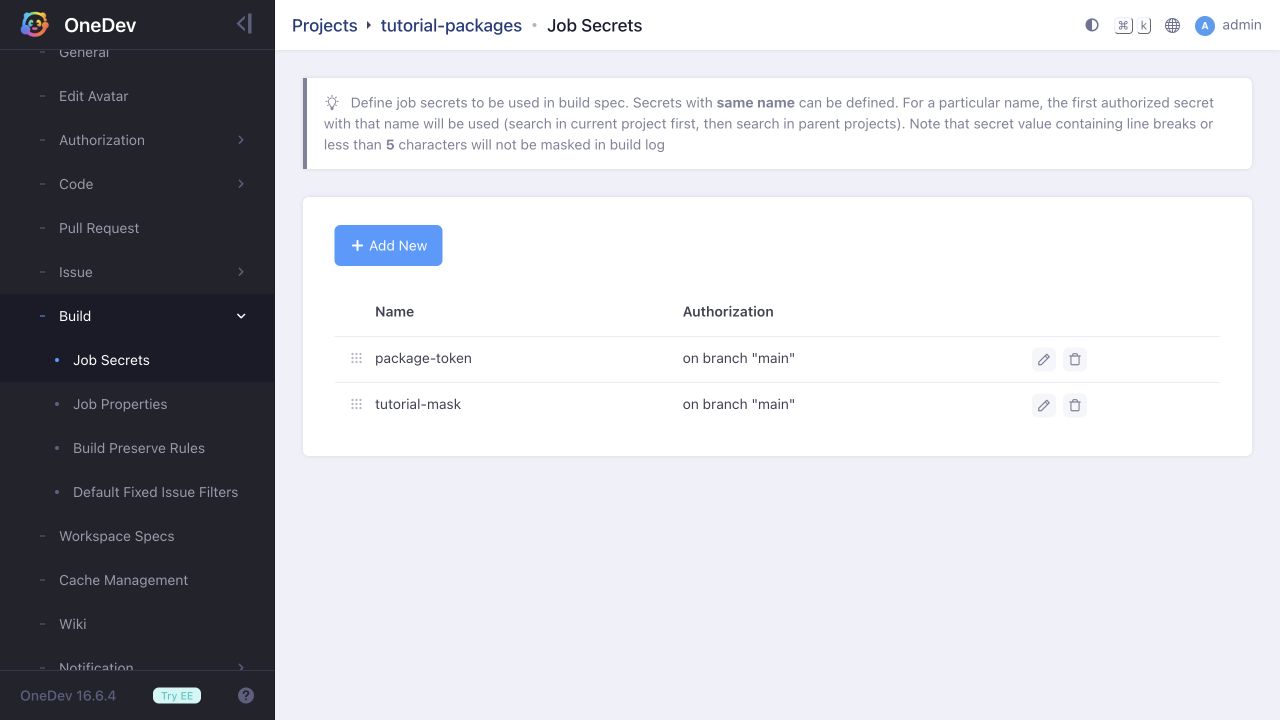
-
Reference the secret with
@secret:<name>@in an interpolated build-spec field. For a command step, you can inject it as an environment variable under More Settings → Environment Variables:envVars:- name: PACKAGE_TOKENvalue: '@secret:package-token@'The command can then read
$PACKAGE_TOKEN(or the corresponding environment-variable syntax for its shell). The stored build specification contains the reference, not the secret value. -
Fields that ask for a secret name take the name directly. For example, Build Image (Buildx) → More Settings → Registry Logins uses a Password Secret:
registryLogins:- registryUrl: '@server_url@'userName: '@job_token@'passwordSecret: package-tokenFor OneDev's built-in registry, this secret must contain an access token with package write permission for the destination project. The job token as user name associates the published package with its build.
Build Image (Buildx) is disabled by default. Before running this step, enable Enable Buildx Image Build in the relevant Docker executor’s Security Settings. If no executors are defined, add one explicitly: the auto-discovered executor also has this option disabled. See Enable Image Build in the Executor for setup instructions.
OneDev masks eligible secret values in build logs. This test used a synthetic secret and verified that its value was available to the command while its printed output was masked:
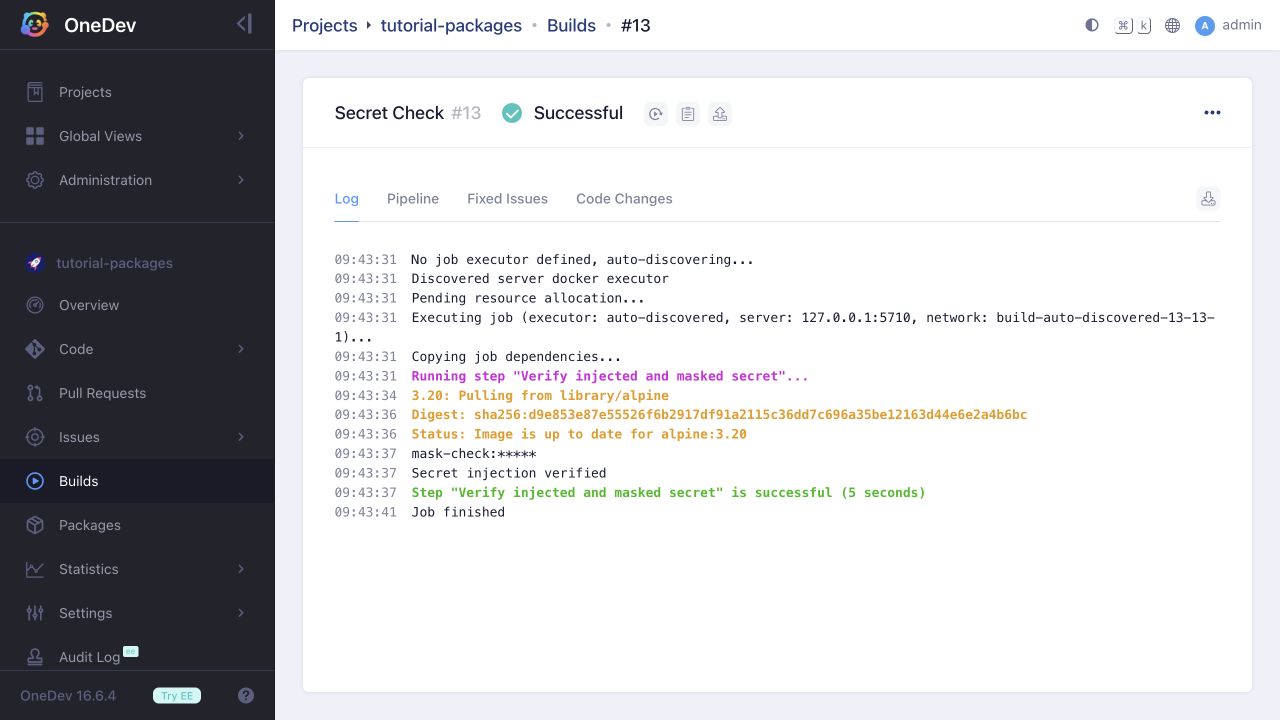
Do not rely on masking as a reason to print real credentials. As the settings page notes, values shorter than five characters or containing line breaks are not masked. Transformed values can also differ from the value being masked.
Secrets may be inherited from parent projects. For the same name, OneDev uses the first authorized secret, searching the current project before parent projects.