Conditional Build Params
Prompt for Platform and Kernel Version when starting a job manually. Show Kernel Version only when Platform is Linux.
Configure the Parameters
Edit .onedev-buildspec.yml, select the job, and expand Params & Triggers / Parameter Specs.
-
Add an Enumeration parameter named
Platform. Disable Allow Multiple and Allow Empty Value. Under Available Choices, select Use specified choices and addLinuxandWindows.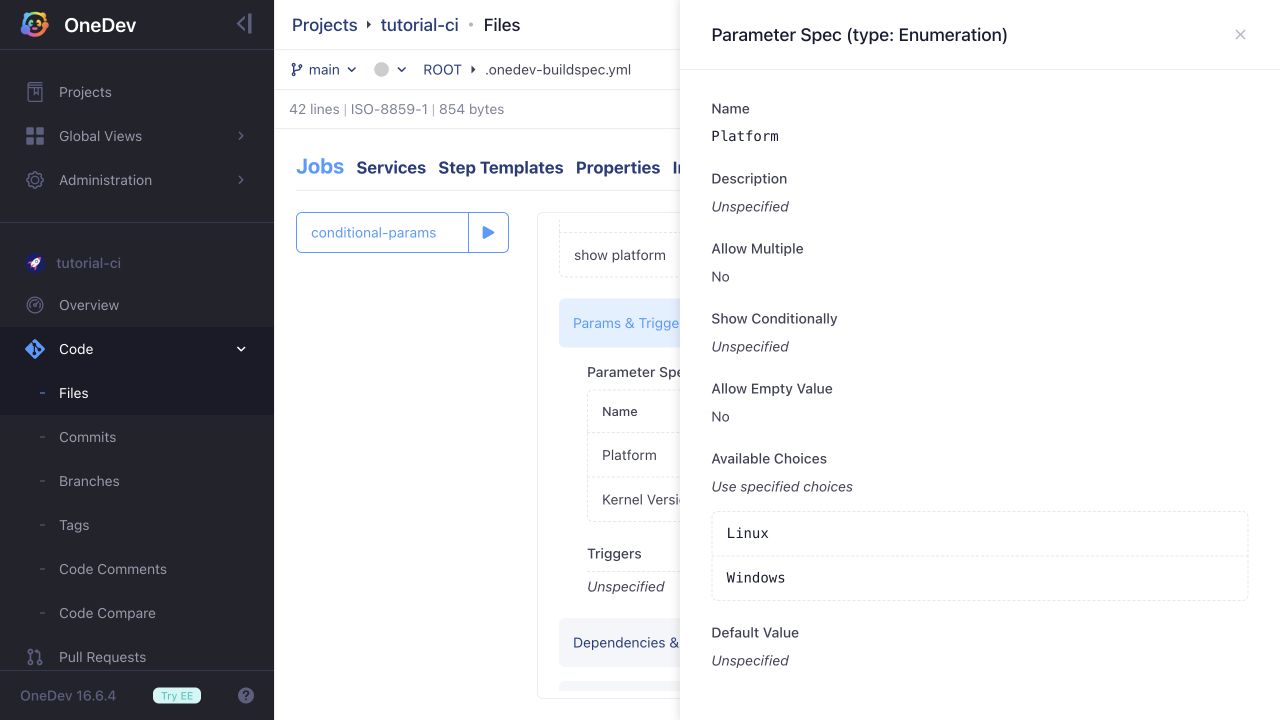
-
Add a Text parameter named
Kernel Version. Configure Show Conditionally with When set toPlatform, has any value of selected, and valueLinux. Leave Allow Empty Value disabled to require a value when the field is shown.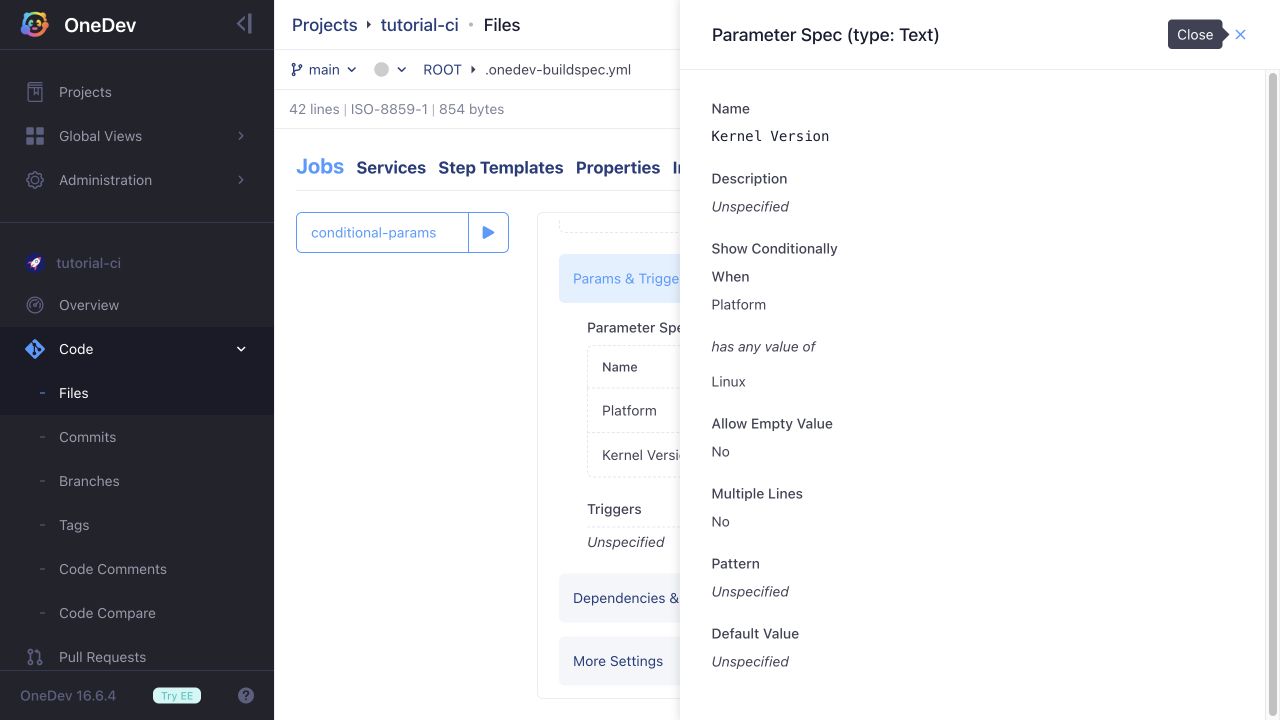
Save and commit the build specification.
Verify the Form
Click the run button beside the job. Select Linux: Kernel Version appears, and submitting it empty reports a validation error. Enter a value such as 6.12 and start the build.
Run the job again and select Windows: Kernel Version is hidden and is not required. The build details show only the applicable parameters.
These parameters control the form and values available to your job. Selecting Linux or Windows does not itself select an executor or change the operating system running the job.