Build Spec Reuse
Import a build specification from another project to reuse its jobs, services, step templates, and properties. Local objects override imported objects with the same name. With multiple imports, later imports override earlier ones.
This example uses two projects: tutorial-commons for shared definitions and a separate project that consumes them. Use an existing OneDev installation and a Docker executor.
Import a Job and Override a Property
- Create
tutorial-commonsand commit this.onedev-buildspec.yml:
version: 53
jobs:
- name: CI
  steps:
  - !CommandStep
    name: Print Node version
    runInContainer: true
    image: '@property:nodeImage@'
    interpreter: !PosixInterpreter
      shell: sh
      commands: node --version
    useTTY: false
    runAs: '0:0'
    condition: SUCCESSFUL
  retryCondition: never
  maxRetries: 3
  retryDelay: 30
  timeout: 3600
properties:
- name: nodeImage
  value: node:22-alpine
- Add a tag named
v1to that commit from Code > Tags. - Make the shared build specification readable by the importing job. For a disposable example containing no private code, add Code Reader under Settings > General > Default Roles. For a private shared project, use an access token with code read permission, store it as a job secret in the consuming project, and select it as the import's Access Token Secret instead.
- In the consuming project, commit:
version: 53
imports:
- projectPath: tutorial-commons
  revision: v1
properties:
- name: nodeImage
  value: node:24-alpine
- Open the build specification's Jobs tab and run the imported CI job. It should print a Node 24 version, showing that the local
nodeImageproperty overrides the shared Node 22 value.
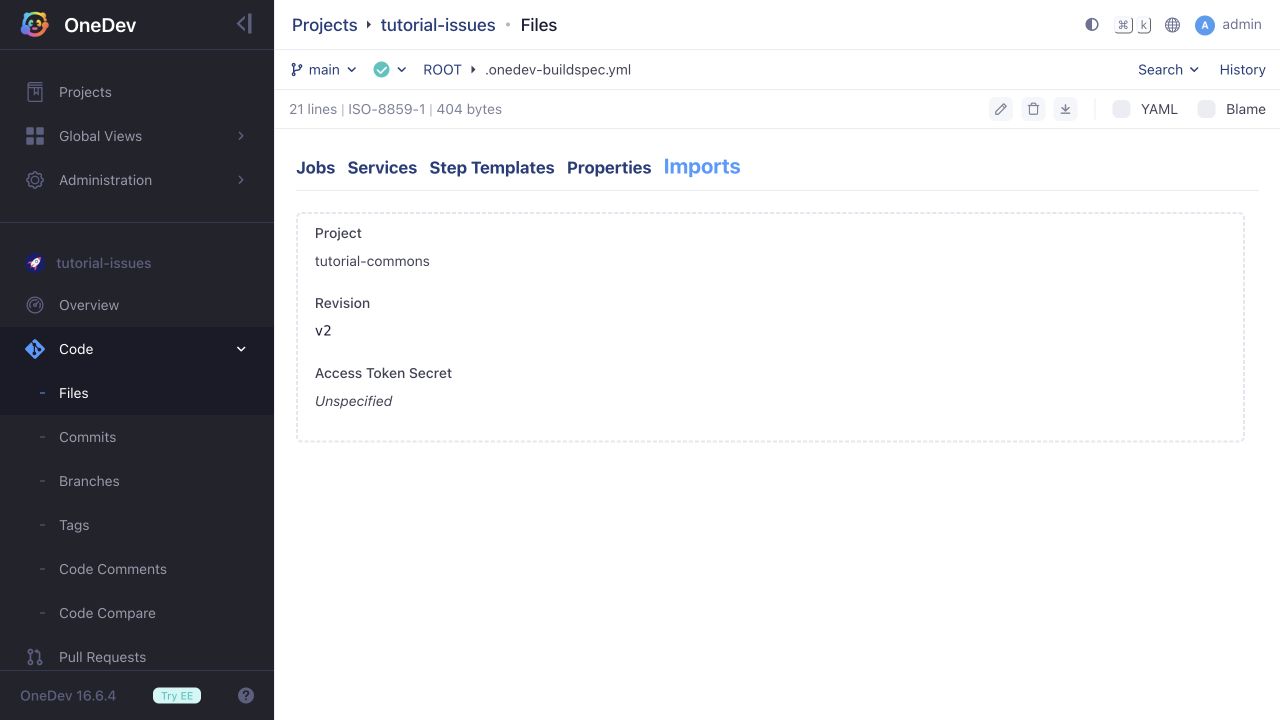
Imports can also be configured in the Imports tab. Select the shared project and a tag or commit revision. Pinning a revision lets you update consumers deliberately when shared definitions change.
Import a Parameterized Step Template
- Replace the shared project's build specification with:
version: 53
stepTemplates:
- name: Print Node version
  paramSpecs:
  - !TextParam
    name: Node Image
    allowEmpty: false
    allowMultiple: false
  steps:
  - !CommandStep
    name: Print Node version
    runInContainer: true
    image: '@param:Node Image@'
    interpreter: !PosixInterpreter
      shell: sh
      commands: node --version
    useTTY: false
    runAs: '0:0'
    condition: SUCCESSFUL
- Commit it and add a tag named
v2. - Replace the consuming project's specification with:
version: 53
imports:
- projectPath: tutorial-commons
  revision: v2
jobs:
- name: CI
  steps:
  - !UseTemplateStep
    name: Run shared Node step
    templateName: Print Node version
    paramMatrix:
    - name: Node Image
      valuesProvider: !SpecifiedValues
        values:
        - - node:24-alpine
    condition: SUCCESSFUL
  retryCondition: never
  maxRetries: 3
  retryDelay: 30
  timeout: 3600
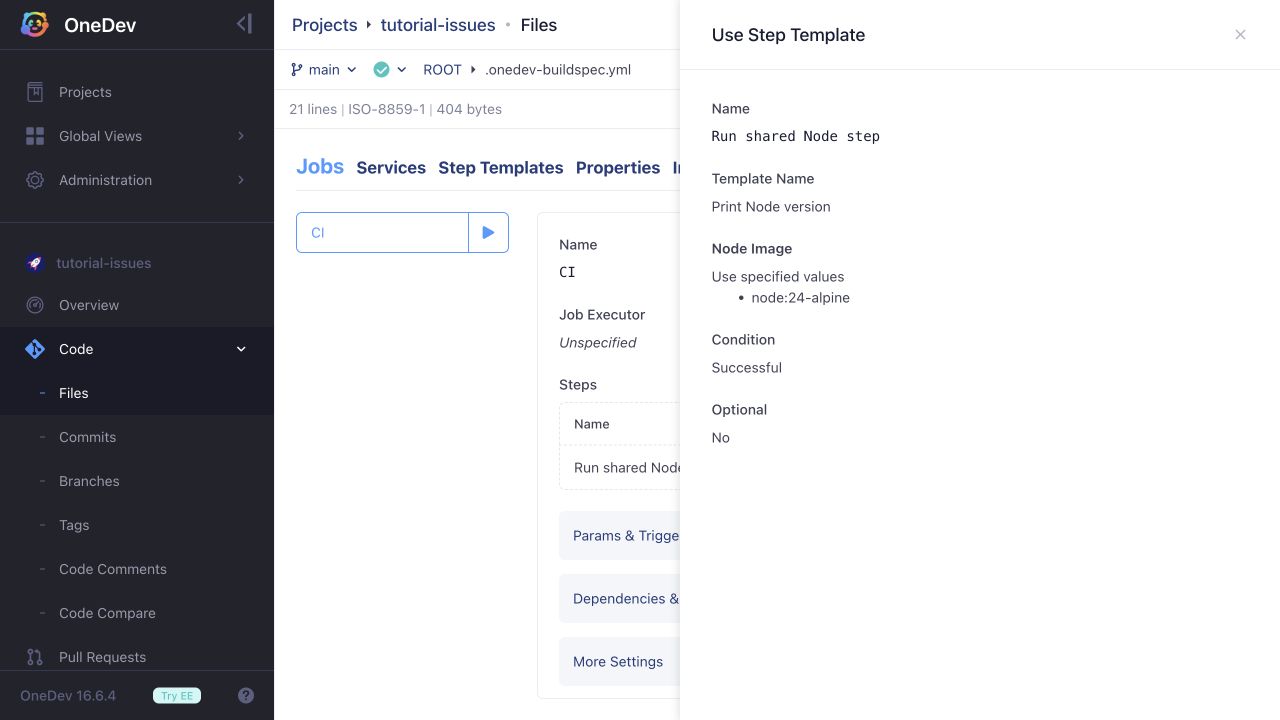
- Inspect the job's Use Step Template step. It calls the imported template with Node Image set to
node:24-alpine.
- Run CI again. The log should show the nested template step and a Node 24 version.
These examples run manually so you can inspect each configuration before execution. Add job triggers appropriate to your workflow when using the shared definitions in your projects.