Use Services
A service runs alongside a job and is reachable by its service name. This example starts a disposable MySQL database for a job running with a Docker executor.
-
Under Settings > Build > Job Secrets, define
db-passwordwith a test database password and authorize the branch used for the build. See Use Job Secrets. -
In the build specification's Services tab, define a service named
mysqlwith imagemysql:8.4. Add environment variablesMYSQL_ROOT_PASSWORDwith value@secret:db-password@andMYSQL_ROOT_HOSTwith value%. Set Readiness Check Command tomysqladmin ping -h 127.0.0.1 --silent.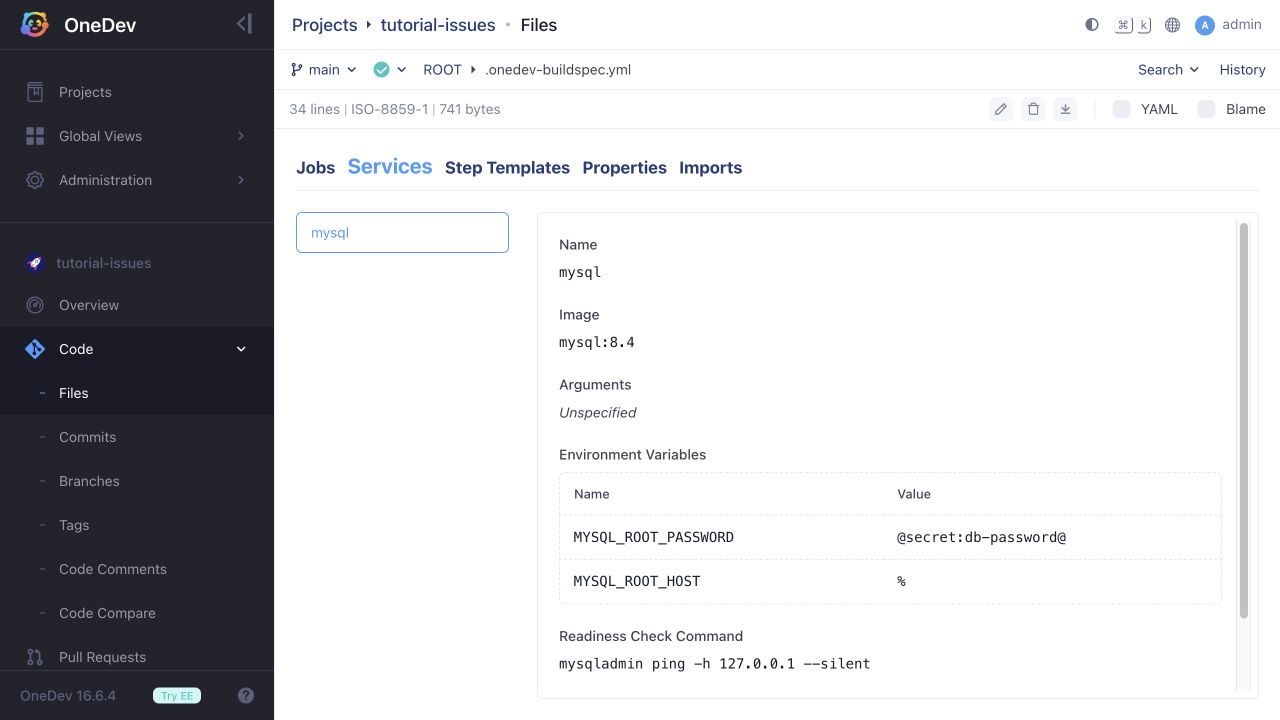
-
In the job's Dependencies & Services section, add
mysqlto Required Services.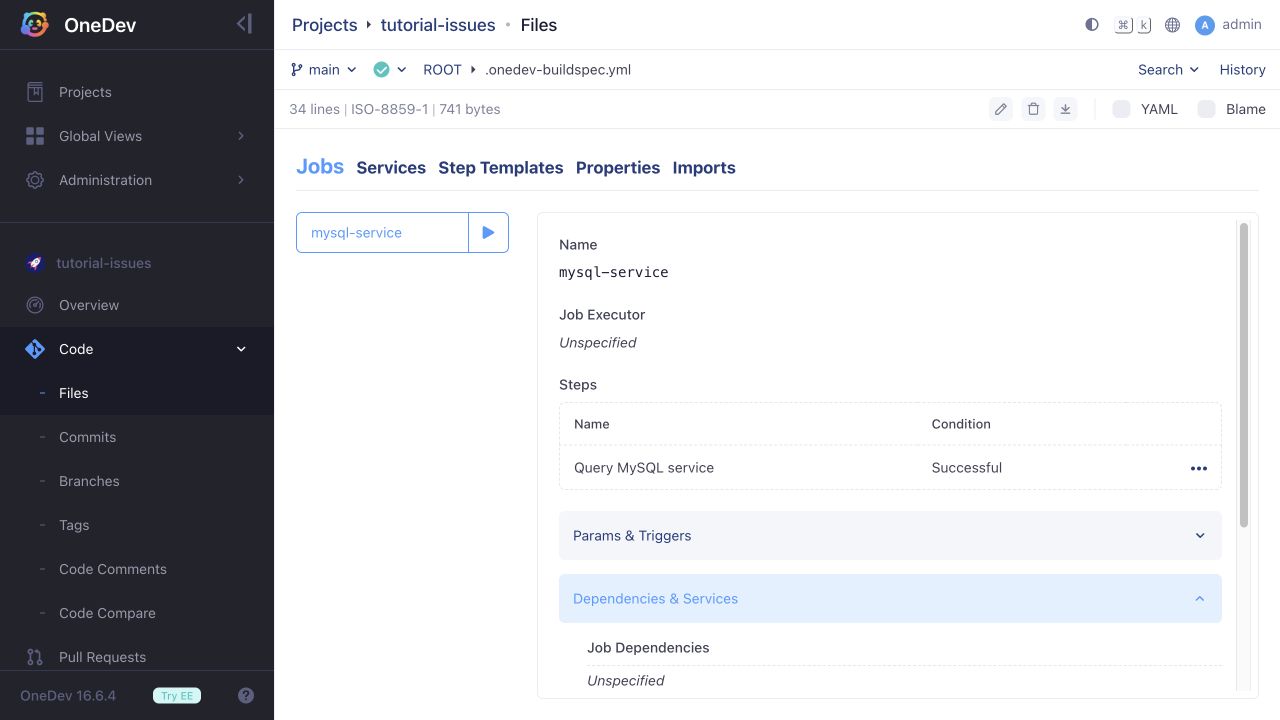
-
Add an Execute Commands step using image
mysql:8.4and a POSIX shell. Run:set -euexport MYSQL_PWD='@secret:db-password@'mysql -h mysql -u root -e 'SELECT 42 AS tutorial_result' -
Commit and run the job. The log should show that the service is ready, followed by
tutorial_resultand42from the query. The hostnamemysqlmatches the service name; do not uselocalhostto reach the service from the job container.
The root account and host wildcard above are for this disposable test database. Configure an application account and appropriate permissions for your own database tests.
Kubernetes Service Placement
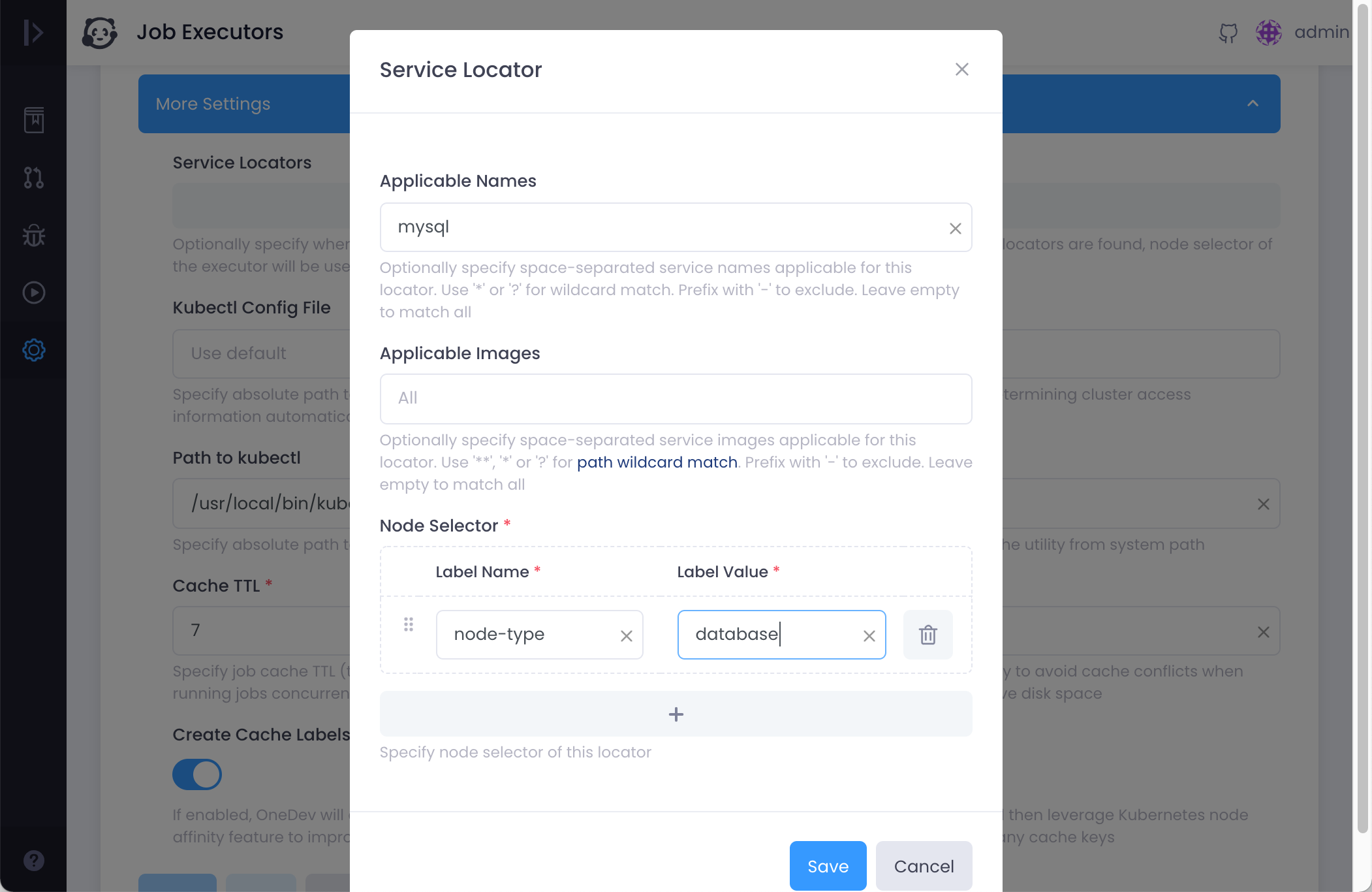
If the job runs with a Kubernetes executor and you want the MySQL service to run on particular nodes, configure the service locator in More Settings of the executor: