Update Dependencies via Renovate
Run Renovate in OneDev CI/CD to create dependency-update pull requests. The OneDev server can run natively; the Renovate step runs in a job container.
Prerequisites
- An active Enterprise subscription or trial, visible under Administration → Subscription Management.
- A Docker-capable job executor.
- A Server URL under Administration → System Settings that the job container can reach.
localhostinside that container refers to the container itself. Use a hostname reachable by the server's clients and the job environment. - A project containing a supported dependency manifest, with code and issue management enabled.
Create the Local Bot and Secret
- Create a dedicated ordinary user under Administration → User Management → Users. Give it a verified Git email address; the Renovate step requires this when generating commits.
- In the user's Authorized Projects, grant Code Writer on only the projects Renovate should update.
- Create an access token owned by that user. Its effective permissions must include code write on those projects.
- In the CI project's Settings → Build → Job Secrets, save the token as
renovate-token. Authorize it for the branch running the update job, such asmain.
A GitHub token is optional. Without one, public npm dependency updates still work, but release notes hosted on GitHub may be skipped. Leave GitHub Access Token Secret empty unless you need that separate integration.
Configure and Run the Job
Add Update Dependencies via Renovate to a job. Leave Projects empty for the current project, select renovate-token, and configure Issue Close States and Issue Fields to match your issue workflow. The first close state is used when Renovate closes its dashboard issue.
This minimal build spec was verified with the standard Closed state and Type/Priority fields. It uses a small npm-only onboarding configuration; adapt the configuration and field values to your project.
version: 53
jobs:
- name: Update Dependencies
  steps:
  - !RenovateStep
    name: Run Renovate
    accessTokenSecret: renovate-token
    issueCloseStates: [Closed]
    issueFields:
    - name: Type
      valueProvider: !SpecifiedValue
        value: [Task]
    - name: Priority
      valueProvider: !SpecifiedValue
        value: [Normal]
    globalConfig: |
      module.exports = {
        onboardingConfigFileName: "renovate.json",
        onboardingConfig: { enabledManagers: ["npm"] },
        optimizeForDisabled: true
      };
    condition: SUCCESSFUL
  retryCondition: never
  timeout: 900
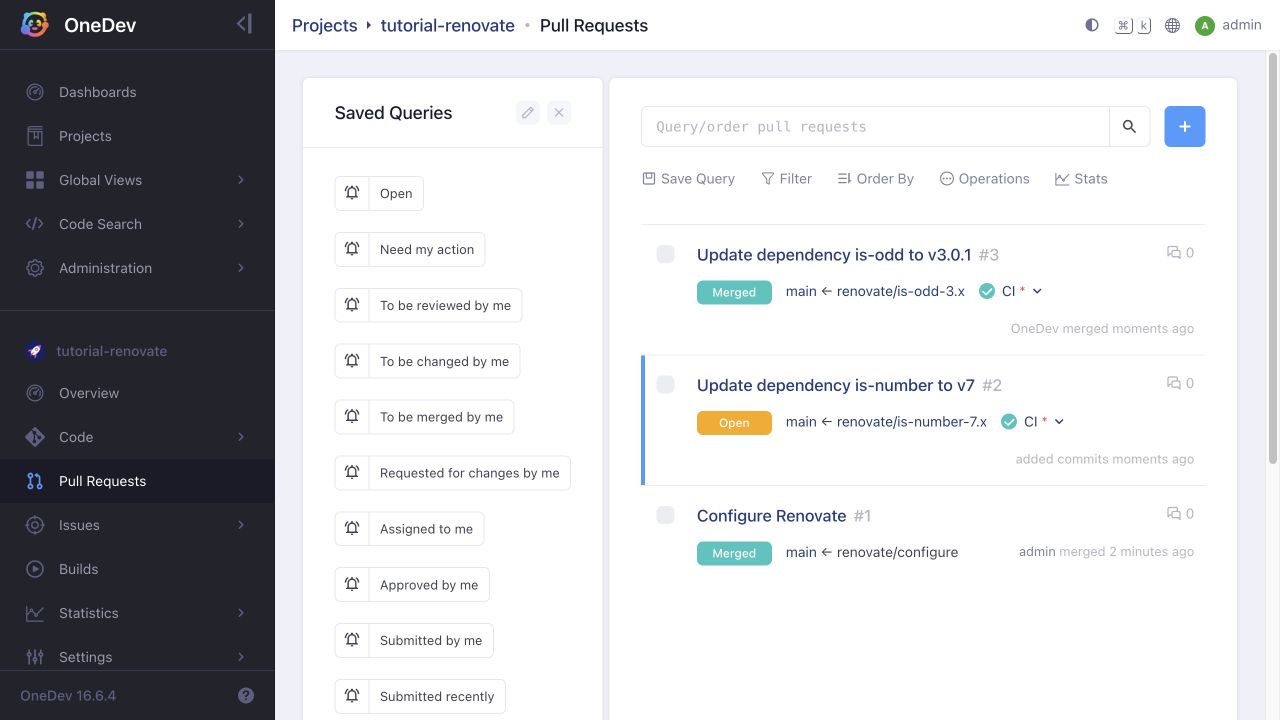
Run Update Dependencies from the authorized branch. Renovate creates a Configure Renovate onboarding pull request. Review and merge it, then run the job again. The next run creates dependency-update pull requests and a dependency dashboard issue when updates are available.
For a disposable npm example, a package.json dependency on is-number version 6.0.0 produced an update to version 7.0.0 during verification. Registry results change over time; use your own project's supported dependencies for normal operation.
After the manual run works, optionally add Set Up Renovate Cache before the Renovate step and a schedule trigger under the job's Params & Triggers. For example, schedule the update job nightly using the trigger's cron editor. Keep the dependency-update job separate from the CI job that tests each pull request.
Enable Automatic Merge with Required CI
-
Add a CI job that tests the project and give it a Pull request open or update trigger.
-
Under Settings → Code → Branch Protection, protect the target branch and require that CI job to succeed. Enable strict build requirements if the tested merge result must include the latest target-branch changes.
-
Add a rule to the project's
renovate.jsonto enable automatic merge for the update types you accept:{"enabledManagers": ["npm"],"packageRules": [{"matchUpdateTypes": ["minor", "patch", "pin", "digest"],"automerge": true}]} -
Run Renovate again. Verify that the pull request waits for required builds and merges only after they succeed. Major updates are not included in this rule.
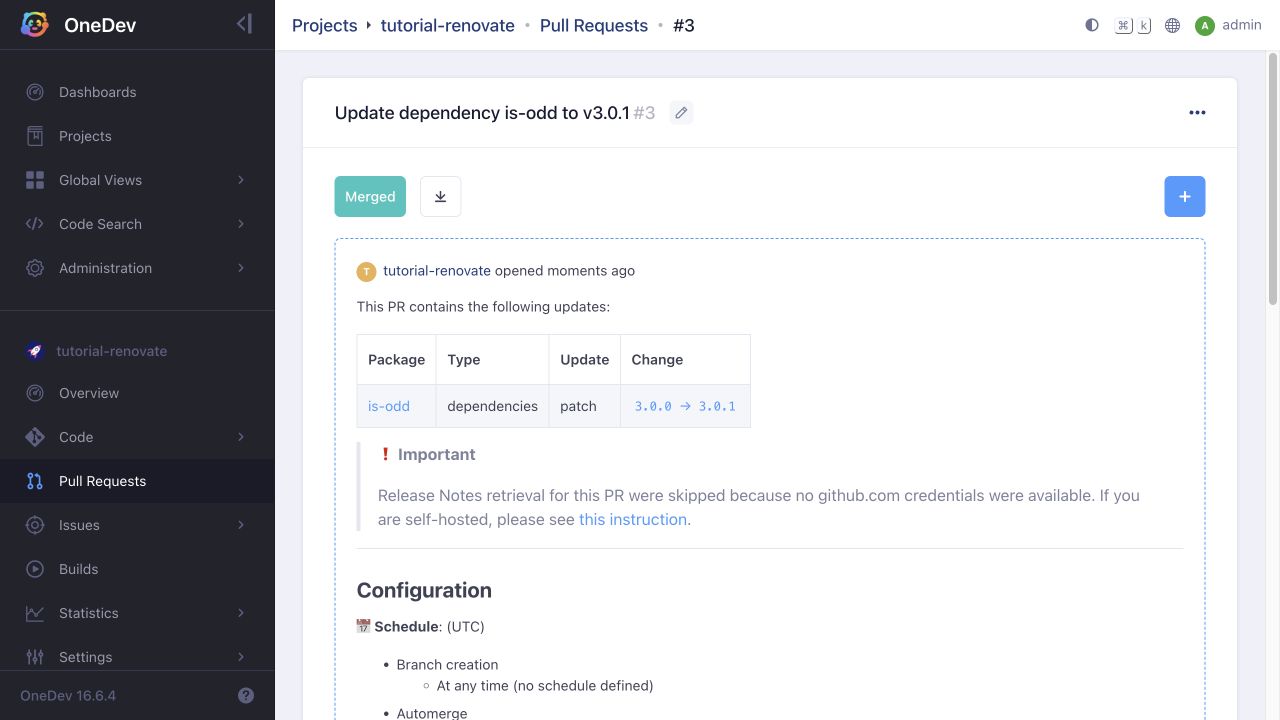
In the verified example, is-odd updated from 3.0.0 to 3.0.1. Its pull request remained blocked while CI ran, then OneDev merged it automatically after CI succeeded. The major is-number update remained open for review.