Allow Users to Create Root Projects
A root project has no parent. A site administrator can allow other users to create root projects through a group.
-
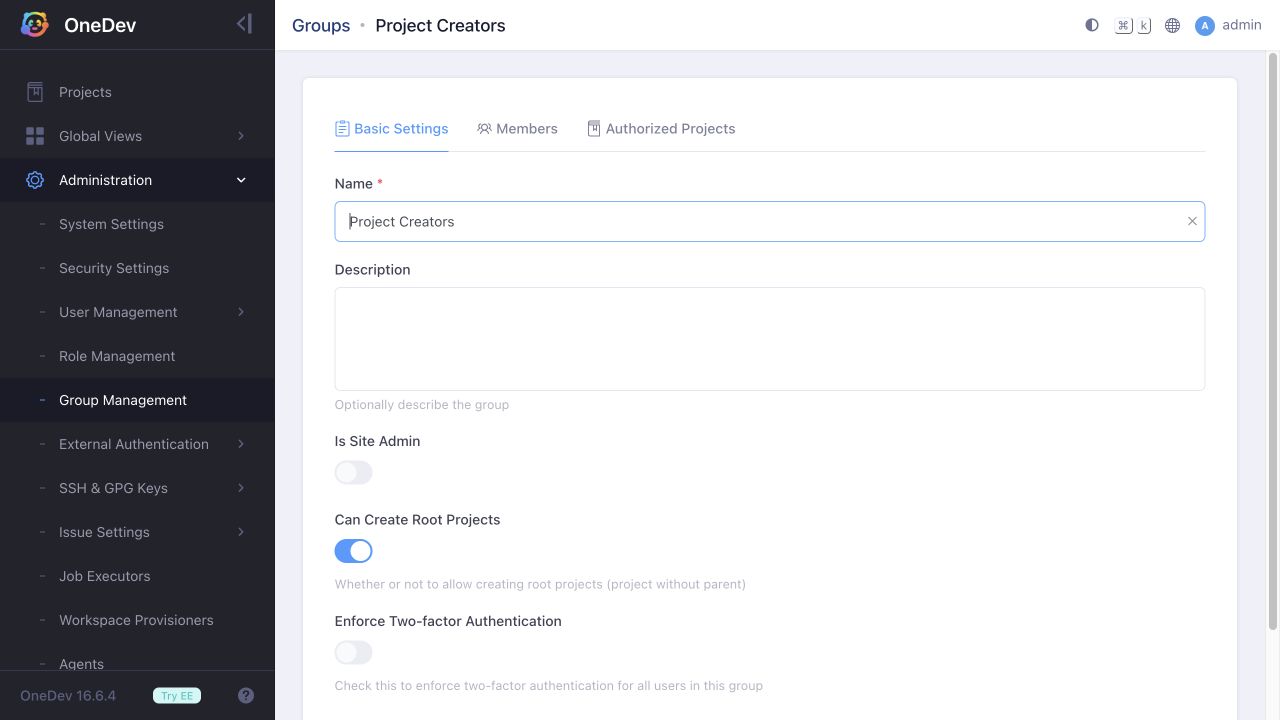
Open Administration > Group Management. Create a group, or edit an existing group such as Project Creators. Enable Can Create Root Projects and save.
-
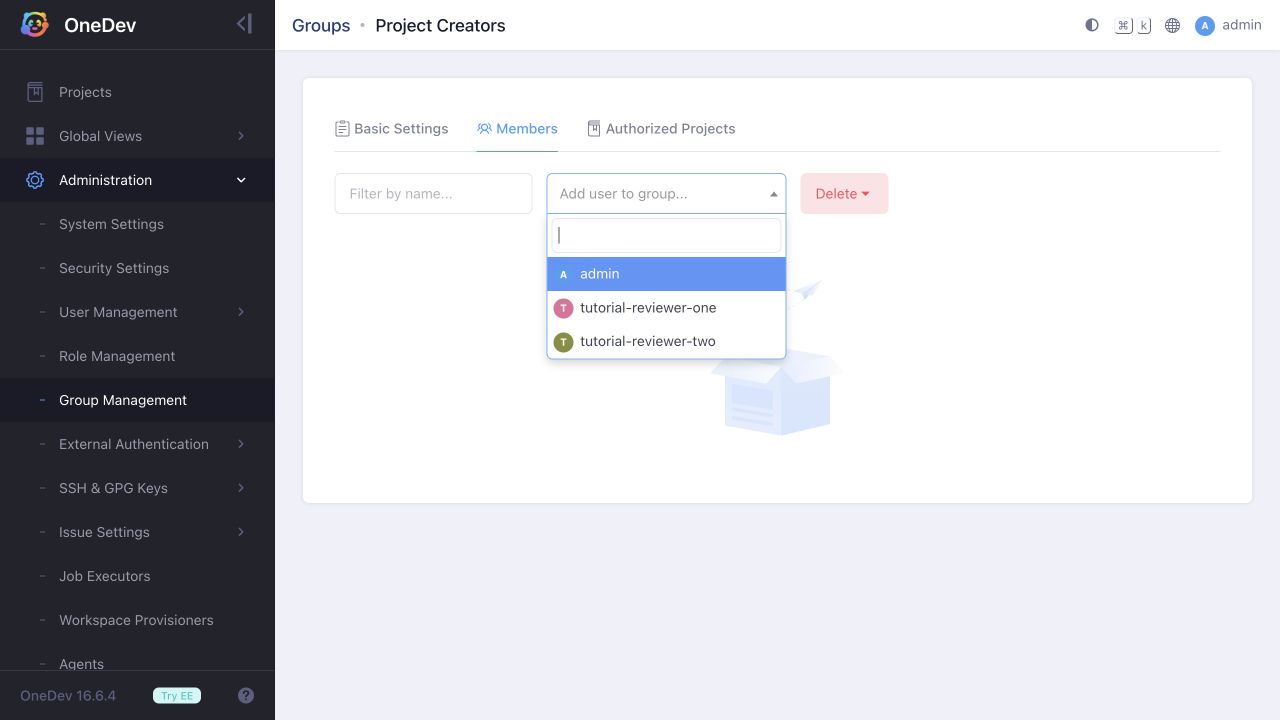
Open the group's Members tab and select the user from Add user to group.... Selecting a user adds the membership immediately.
-
Sign in as that user and create a project without a parent. The user can now create a root project.
Removing the user from this group removes this source of root-project creation permission. If the user is a site administrator or belongs to another group with the same permission, they can still create root projects. Removing the membership does not delete projects already created.
For permission to create projects beneath an existing project, see Allow to Create Child Projects.