Allow to Create Child Projects
Grant a user permission to create projects under a particular parent without allowing root-project creation.
Configure the Role and Authorization
-
Open Administration → Role Management and create a role such as
Child Creator. Enable Create Child Projects. Leave Project Management disabled unless the user also needs to administer the parent. Choose other permissions, such as Code Privilege → Read, according to the user's needs.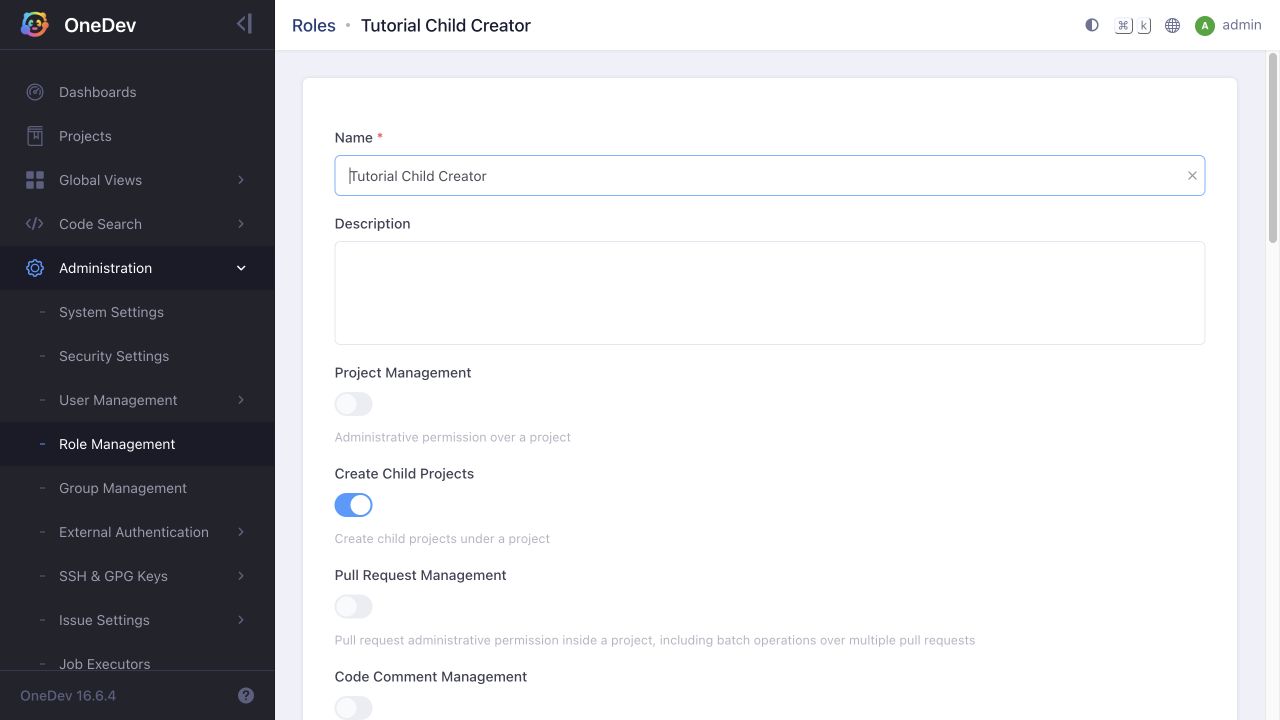
-
Open Administration → User Management → Users and select the user. Switch to Authorized Projects.
-
Click the + below the authorization rows. Select the parent project and the new role, then click Save. Keep any existing authorizations the user still needs. The screenshot shows a parent authorization ready to save, alongside the user's existing ownership of a child created during testing.
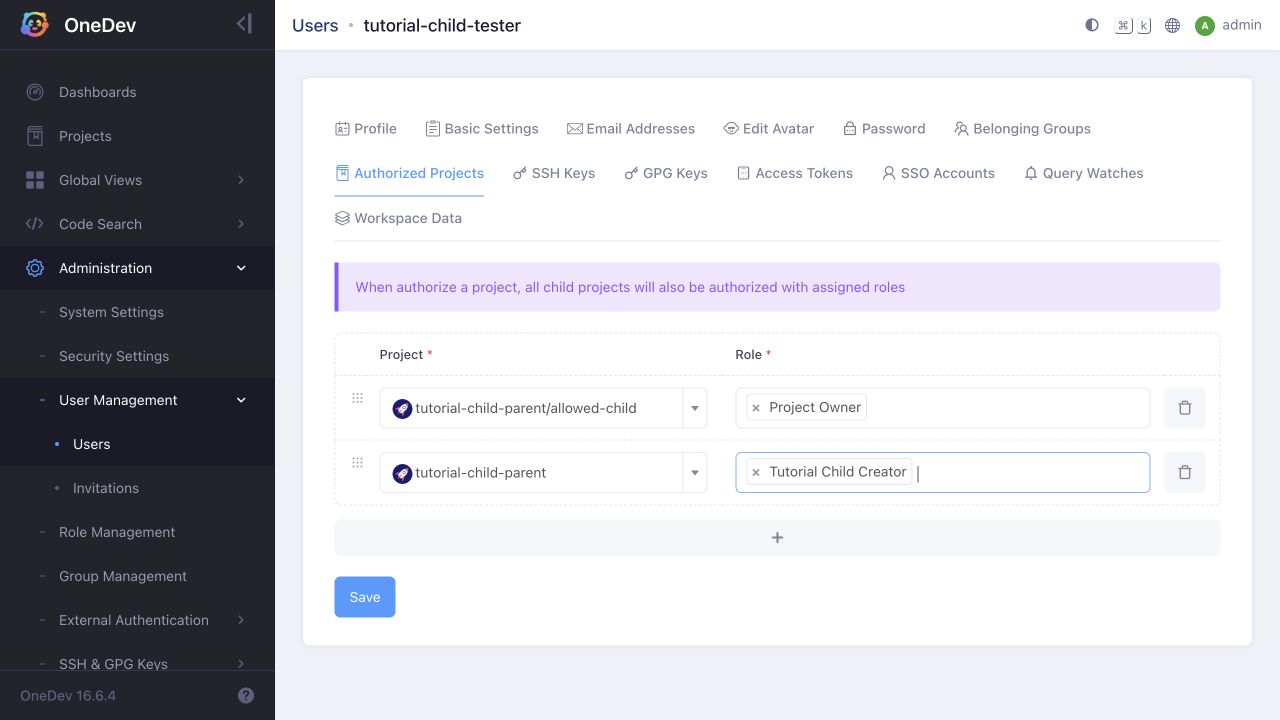
Project authorization is inherited by descendants. This permission lets the user create children below the authorized parent; it does not grant root-project creation or permission under unrelated parents.
Verify the Scope
Sign in as the user and create a project with the authorized project selected as Parent Project. Creation should succeed. With a user that has no other creation grants, verify that root-project creation and creation under another parent are denied.
Remove the parent authorization and verify that creating another child there is denied. This does not remove ownership the user already received on a child they created; review that child's authorizations separately if you also need to revoke access to it.
For multiple users, authorize a group on the parent with the same role and add the users to that group. Check their other group memberships and inherited project roles when testing effective permissions.