Working with Boards and Iterations
Iterations group work into releases or sprints. Boards show the issues in a selected iteration and let you plan work and change issue states.
Create and Plan Issues
Open Issues > Boards in a project. Select an iteration from the menu beside Backlog, or choose Create Iteration in that menu. Click the + in the Open column to create an issue in the selected iteration. Complete the required fields and save. Review the prefilled Iterations field: a board query may also add an iteration, such as the release in the example below.
Click Backlog to display work waiting to be scheduled. Use its + to create an issue without assigning it to the selected sprint.
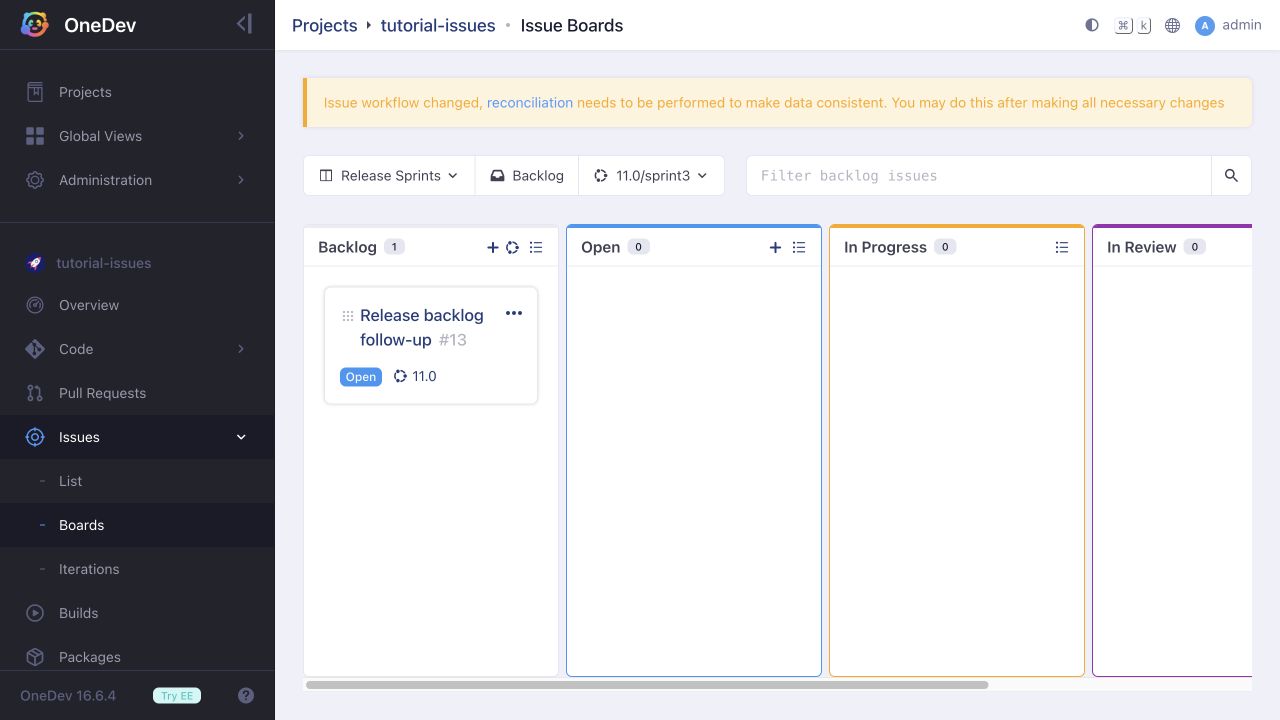
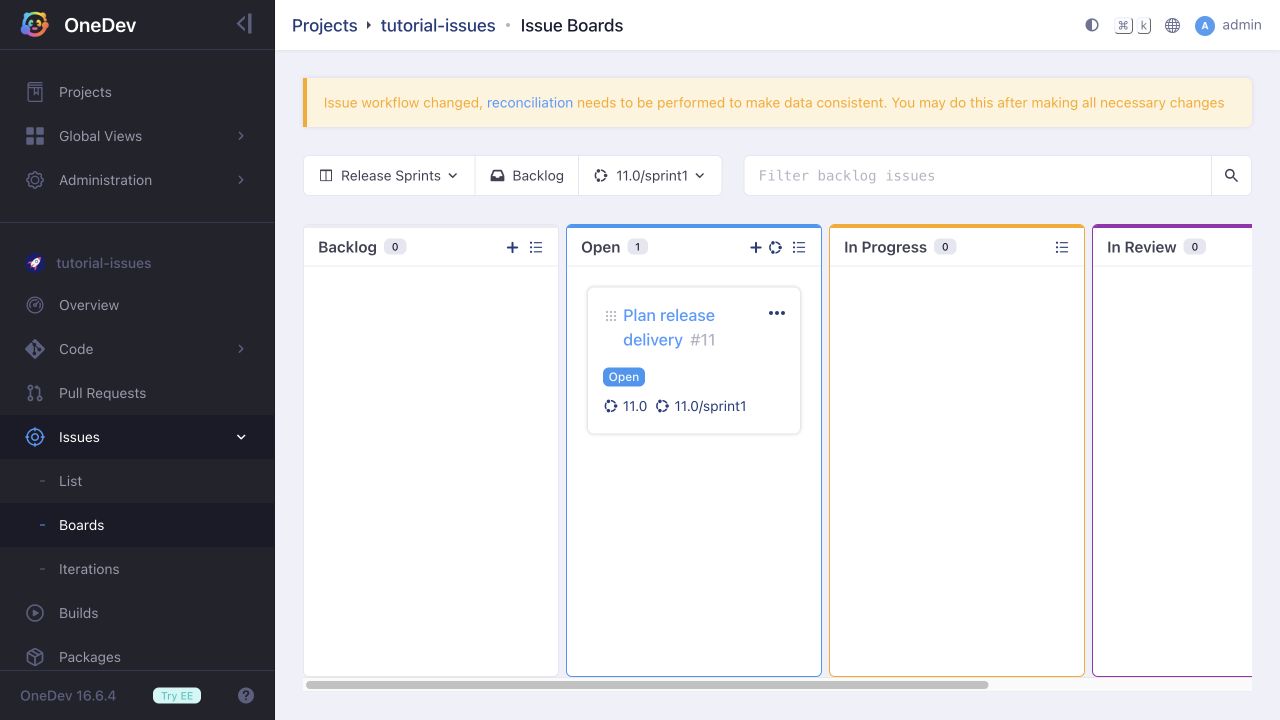
Drag a backlog card by its dotted handle into Open to add it to the selected iteration.
Carry Unfinished Work Forward
Open the iteration menu and click Close beside a finished sprint. Closing an iteration does not close its issues.
To carry unfinished work forward, keep the old sprint selected and click the circular iteration icon in a column header. In Add Issues to Iteration, select the next open sprint. Leave Remove From Current Iteration unchecked to retain the old assignment, then click Ok. Repeat for each unfinished column as needed. This applies to the issues matching that column's current query.
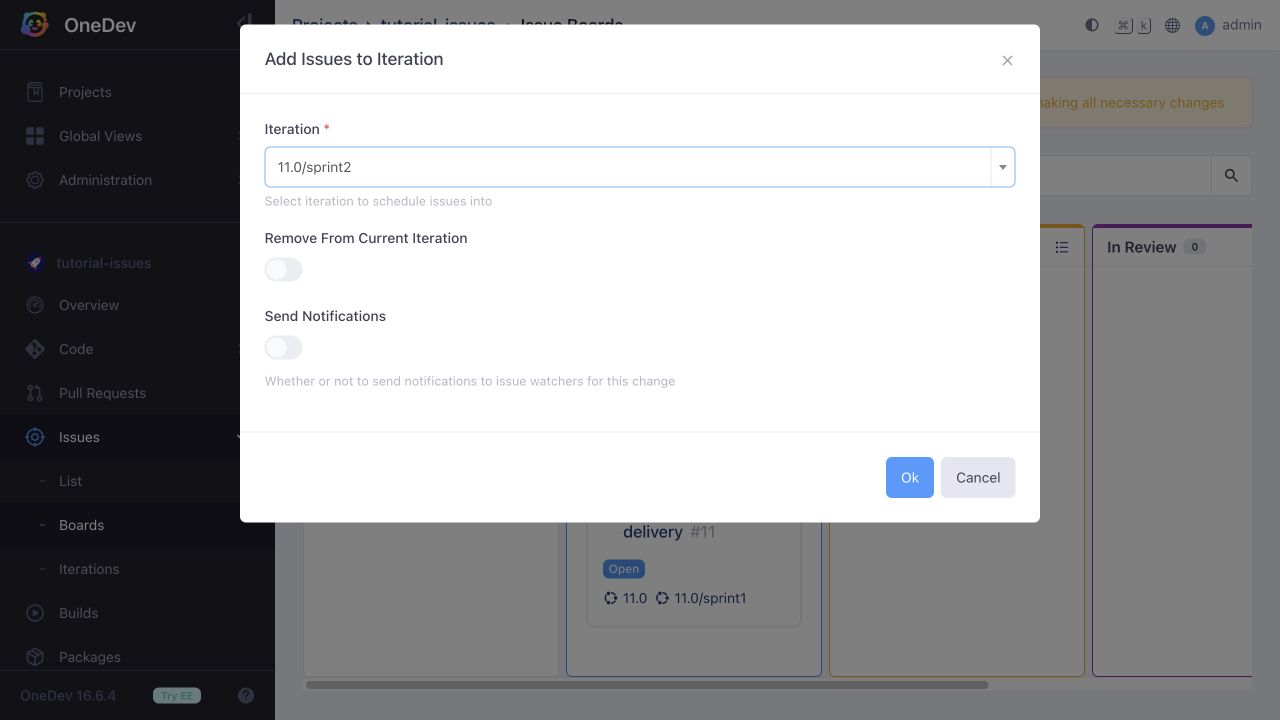
An issue can belong to multiple iterations. Retaining the old sprint preserves its membership history; selecting Remove From Current Iteration instead moves the assignment out of that sprint.
Work on Issues
Drag a card into another state column to perform an allowed transition. The applicable columns depend on your permissions and the configured transition rules. Automatic transitions can also move cards when their triggering events occur.
Plan Releases and Sprints Together
Create a release iteration named 11.0, and sprint iterations named 11.0/sprint1 and 11.0/sprint2. Use the board menu to add or edit a board with:
- Base Query:
"Iteration" is "11.0" - Backlog Base Query:
"Iteration" is "11.0" and "State" is "Open" - Iteration Prefix:
11.0/ - Identify Field:
State, with columns matching your workflow
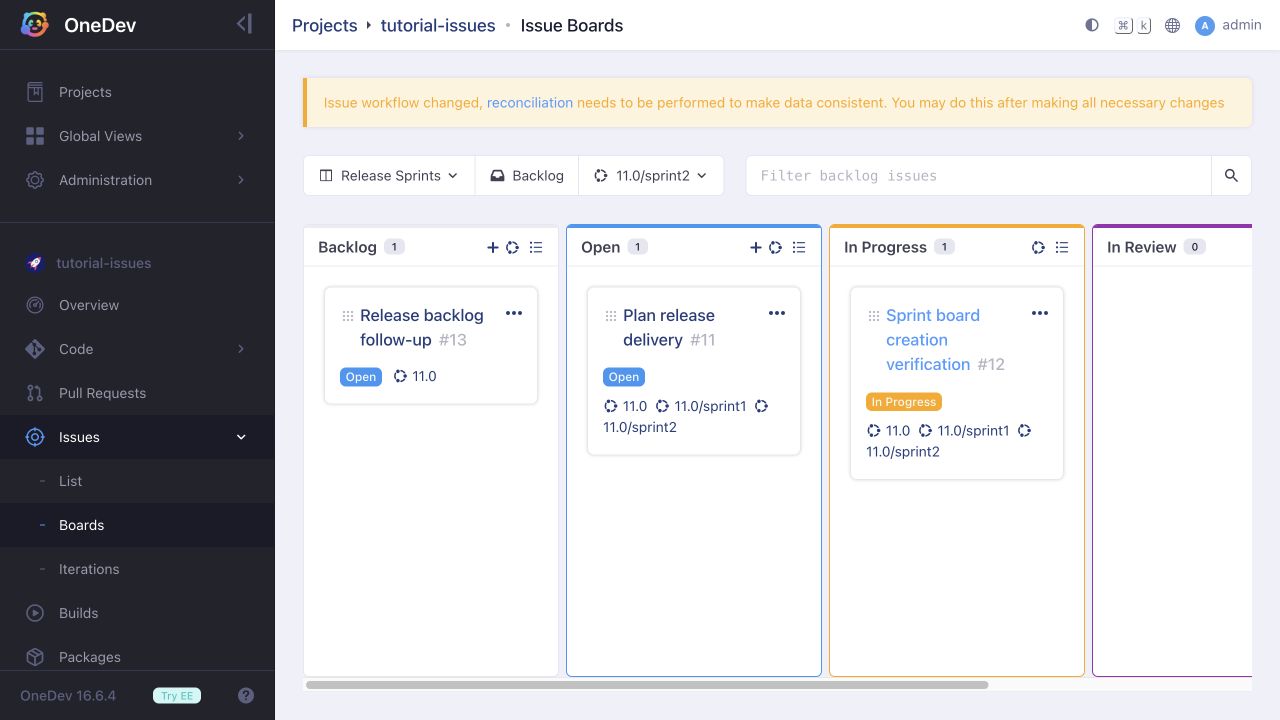
These queries use the default Open state; substitute your state name if your workflow differs. First assign issues to the release. The board's iteration menu then lists the prefixed sprints, while its backlog shows release issues that have not been assigned to a sprint with that prefix. A new iteration created from this board must also begin with 11.0/.
Planning a release issue into a sprint retains its 11.0 assignment. Issues created from a sprint column inherit both the release query and selected sprint, while issues created from the backlog inherit only the release.
Customize Columns
Boards can also group issues by fields such as priority or a single-valued user field. See Custom Issue Board for a tested assignment board and its setup.