State Transition Authorization
This example allows a tester to move an open bug to Verified, while excluding tasks. Users with Manage Issues permission can also perform the transition, so test the role restriction with ordinary accounts.
-
Under Administration > Roles, create a role named Tutorial Tester with the same data permissions as Code Reader. In the disposable
tutorial-approvalproject's user authorizations, assign this role to your tester. Give a second test user Code Reader access for comparison. -
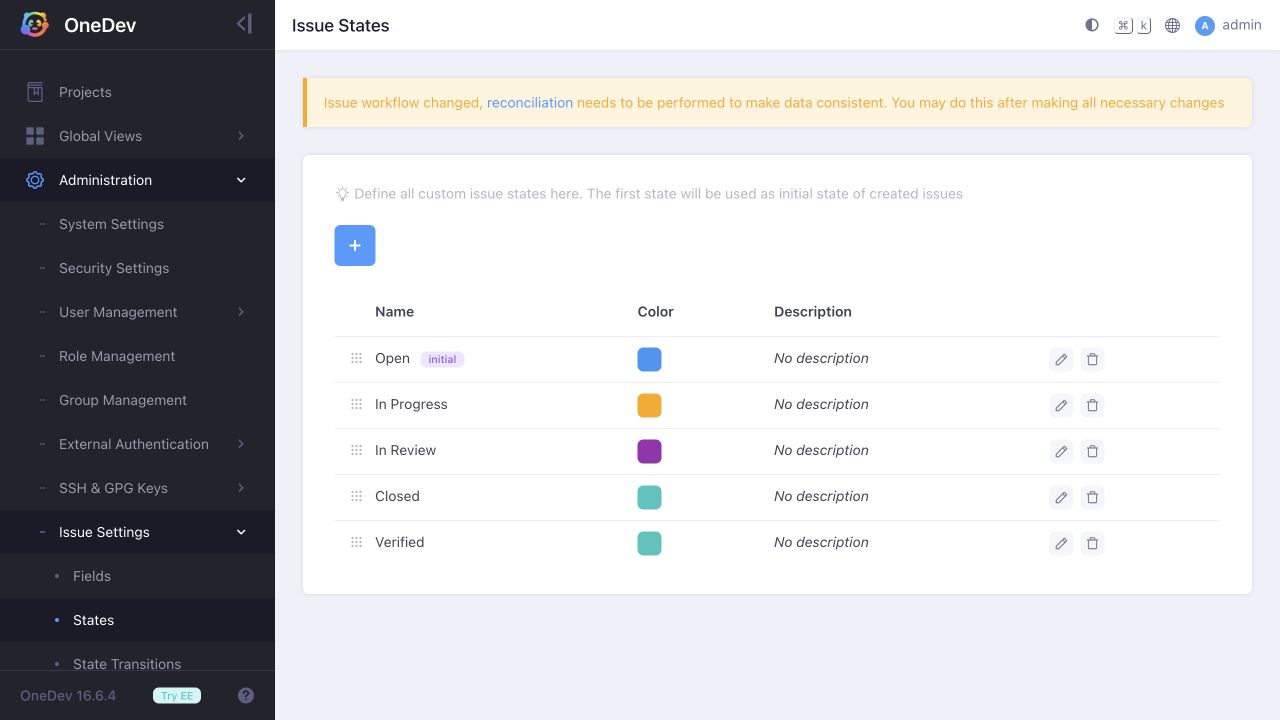
Under Administration > Issue Settings > States, add Verified.
-
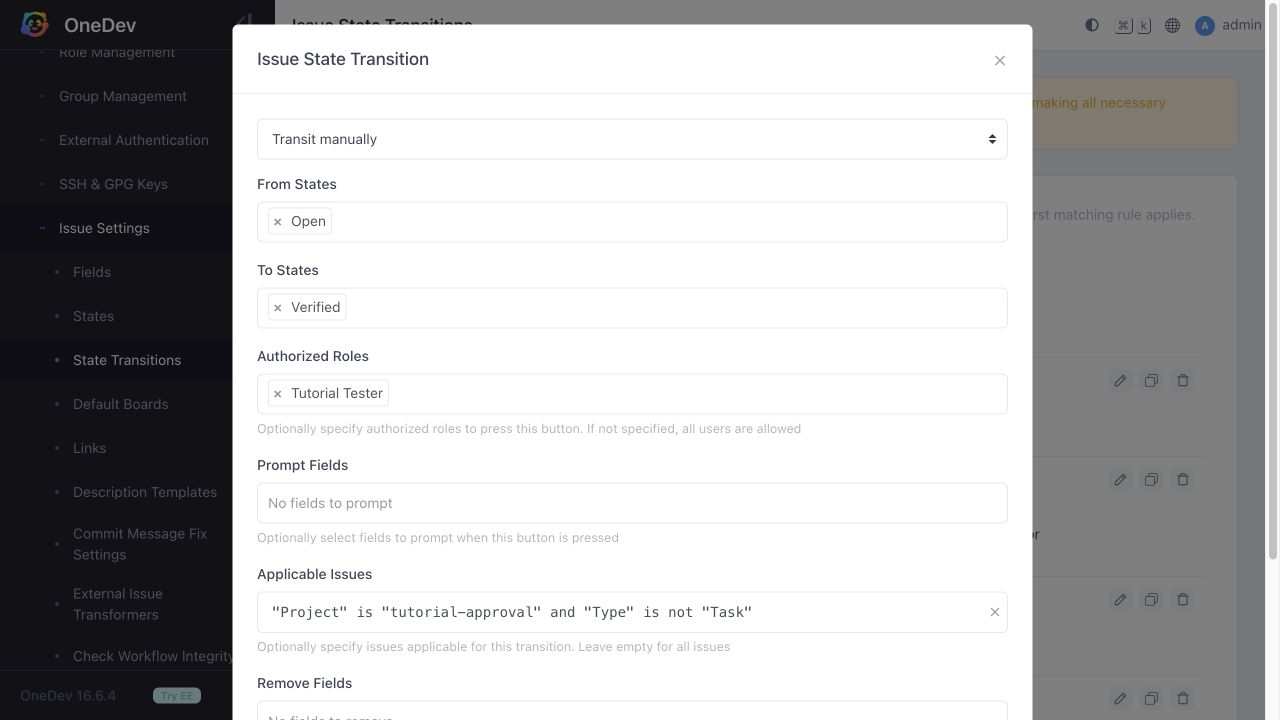
Under Administration > Issue Settings > State Transitions, add a manual transition with these settings:
- From states: Open
- To states: Verified
- Authorized roles: Tutorial Tester
- Applicable issues:
"Project" is "tutorial-approval" and "Type" is not "Task"
Replace the project name with your own if needed.
-
Review the other manual transitions. A broad rule allowing any destination state can also allow Verified, bypassing this restriction. Replace such a rule's destination list with the states it should permit, excluding Verified.
-
Create an open Bug and an open Task. Sign in as the tester: the bug can move to Verified, but the task cannot. Sign in as the ordinary Code Reader: that user cannot move the bug to Verified.
The role restriction, source state, and applicable-issues query work together. Leaving Authorized Roles empty allows any signed-in user who can access the issue; it does not mean that no users are authorized.