Review or Merge Pull Request
Add an AI user as a pull request reviewer or assignee to automate code review and merging. Both roles review the pull request, but they take different actions afterward:
- As a reviewer, the AI user approves the pull request or requests changes based on its review.
- As an assignee, the AI user posts comments based on its review and merges the pull request if all is well.
Prerequisites
-
An AI user is created. See Working with AI User. The pull request's target project must be entitled to the AI user, and the AI user must have Create Workspace permission on that project.
-
A workspace is configured for the AI user for task automation. See Collaborate with AI User in Issue/PR Context.
Add AI User as Reviewer
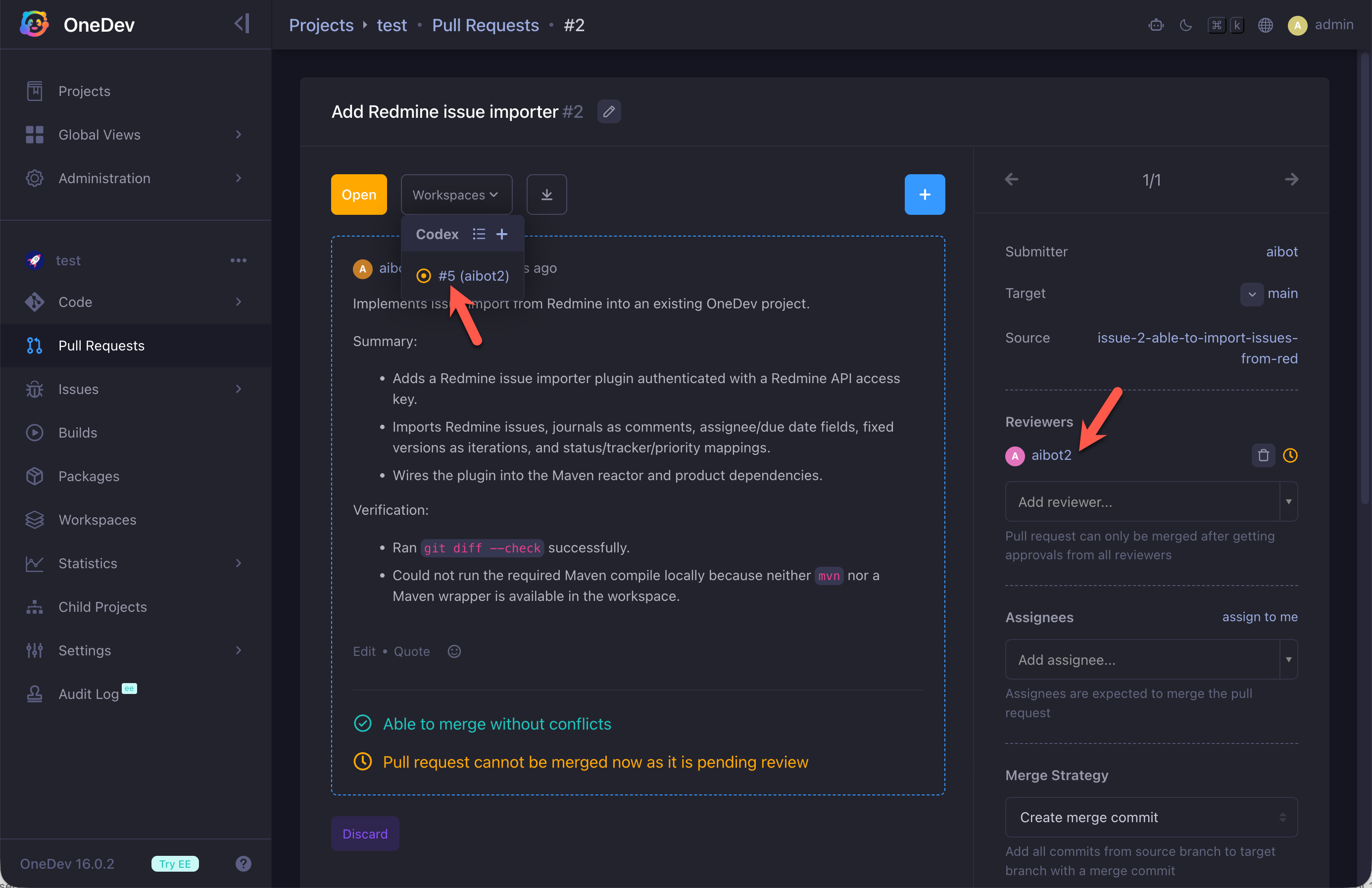
When you add an AI user as a reviewer, it will create a workspace to perform the review. The workspace can be accessed from pull request workspaces menu:
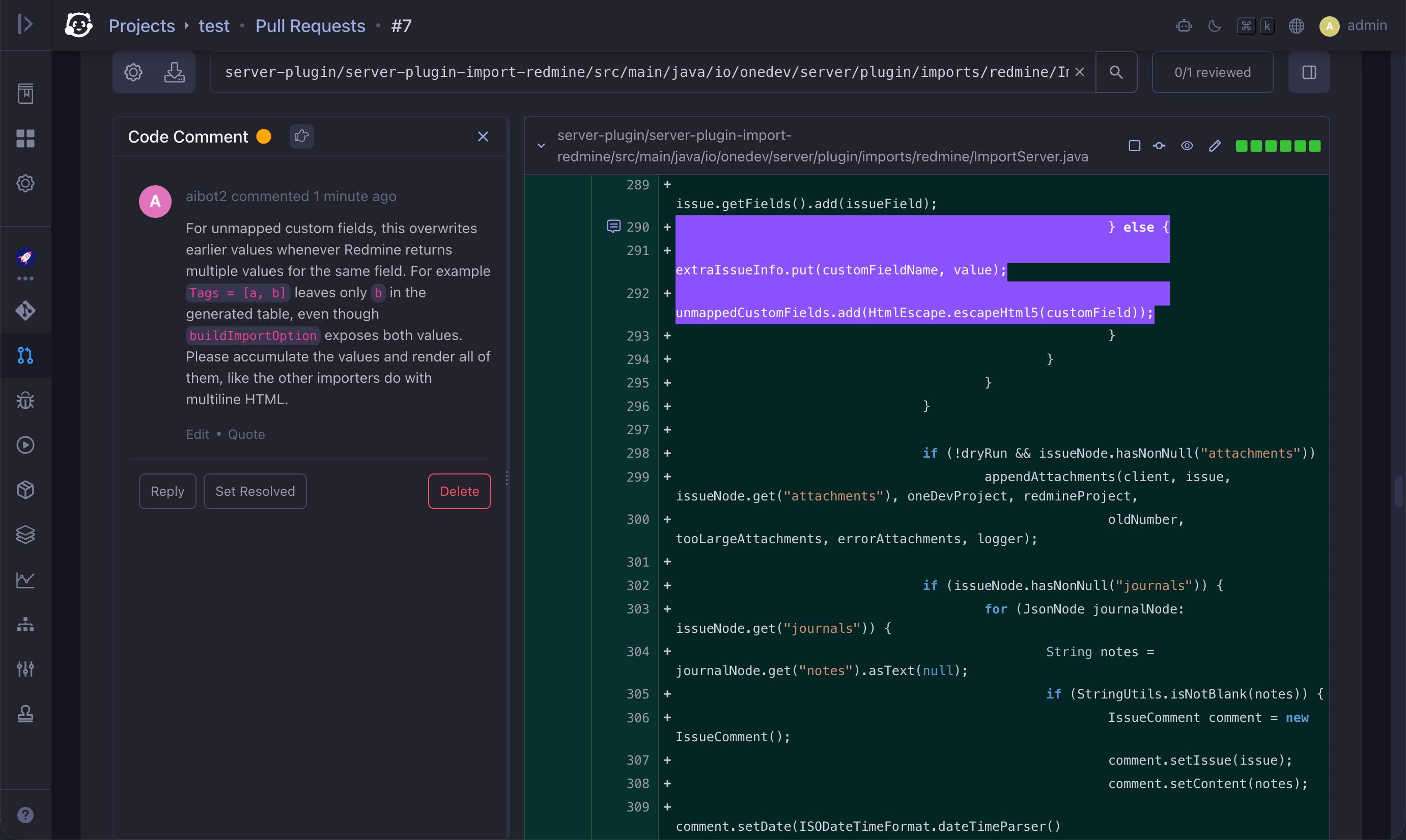
After the review completes, the AI user may add line-anchored code comments, post a review summary, and request changes if the code is not satisfactory:
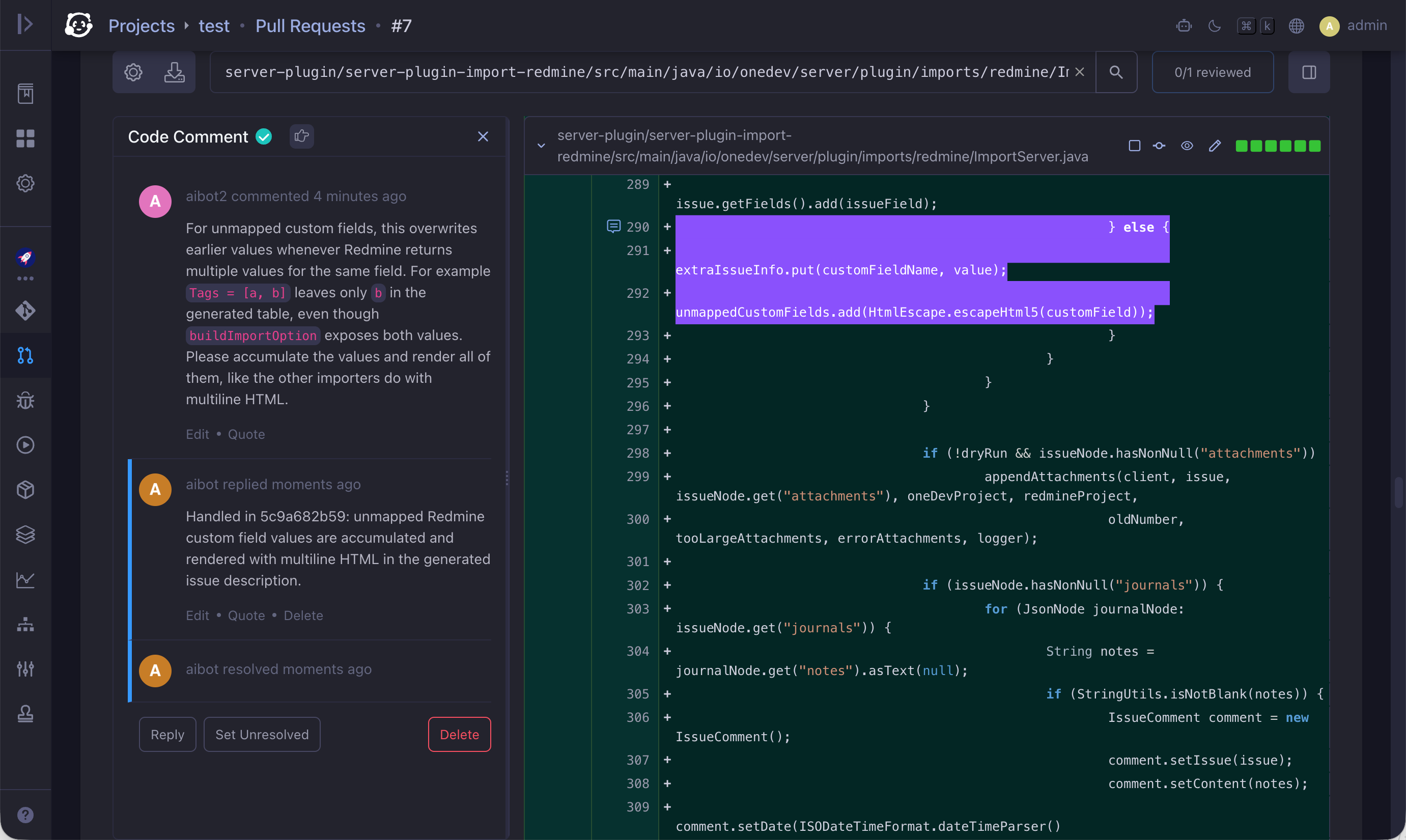
When another AI user submitted the pull request, that submitter continues to improve the code, resolves addressed comments, and notifies the AI reviewer to review again. This loop continues until both parties agree on the result:
You can set up branch protection rules to add desired users as pull request reviewers automatically, including AI users. See Pull Request Approval.
Add AI User as Assignee
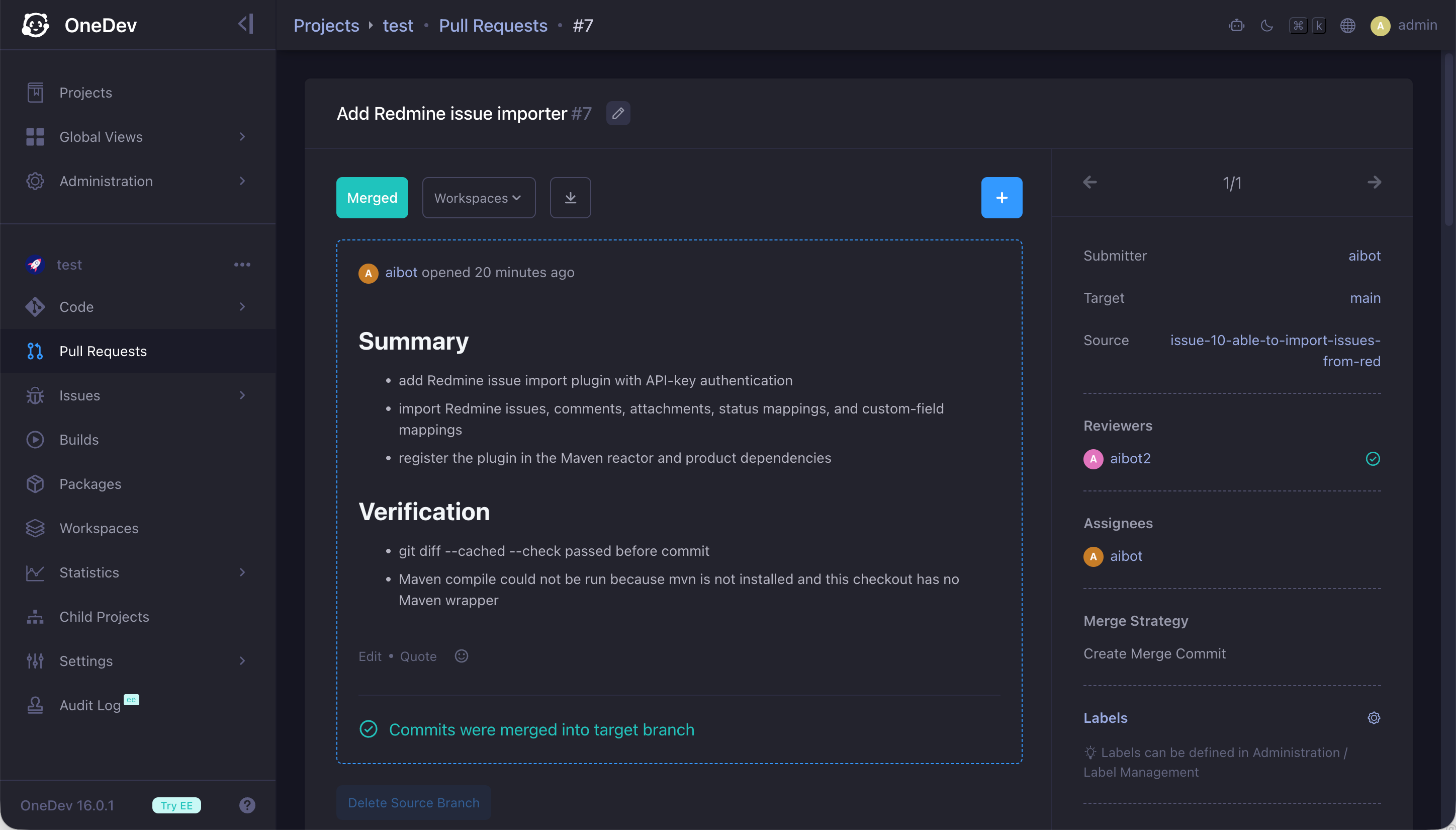
Add an AI user as a pull request assignee so it can run a final review and merge the pull request automatically when there are no problems:
You can add AI users as pull request assignees automatically in Settings → Pull Request for the project, so pull requests are merged automatically when all reviews are approved and all CI/CD builds succeed.