Working with System AI
OneDev provides two system-level AI integrations for everyday operations:
- Lite Model translates natural language queries, generates issue branch names, and suggests pull request titles and descriptions.
- Jev suggests issue field values, populates fields for issues arriving by email, and refines symbol navigation.
Unlike AI users, which act as virtual collaborators on your projects, these integrations assist in the background. An administrator configures them independently under Administration → AI Settings. No per-user setup is required.
This tutorial explains how to configure each integration and use its features.
Configure the Lite AI Model
An administrator configures the lite model under Administration → AI Settings → Lite Model:
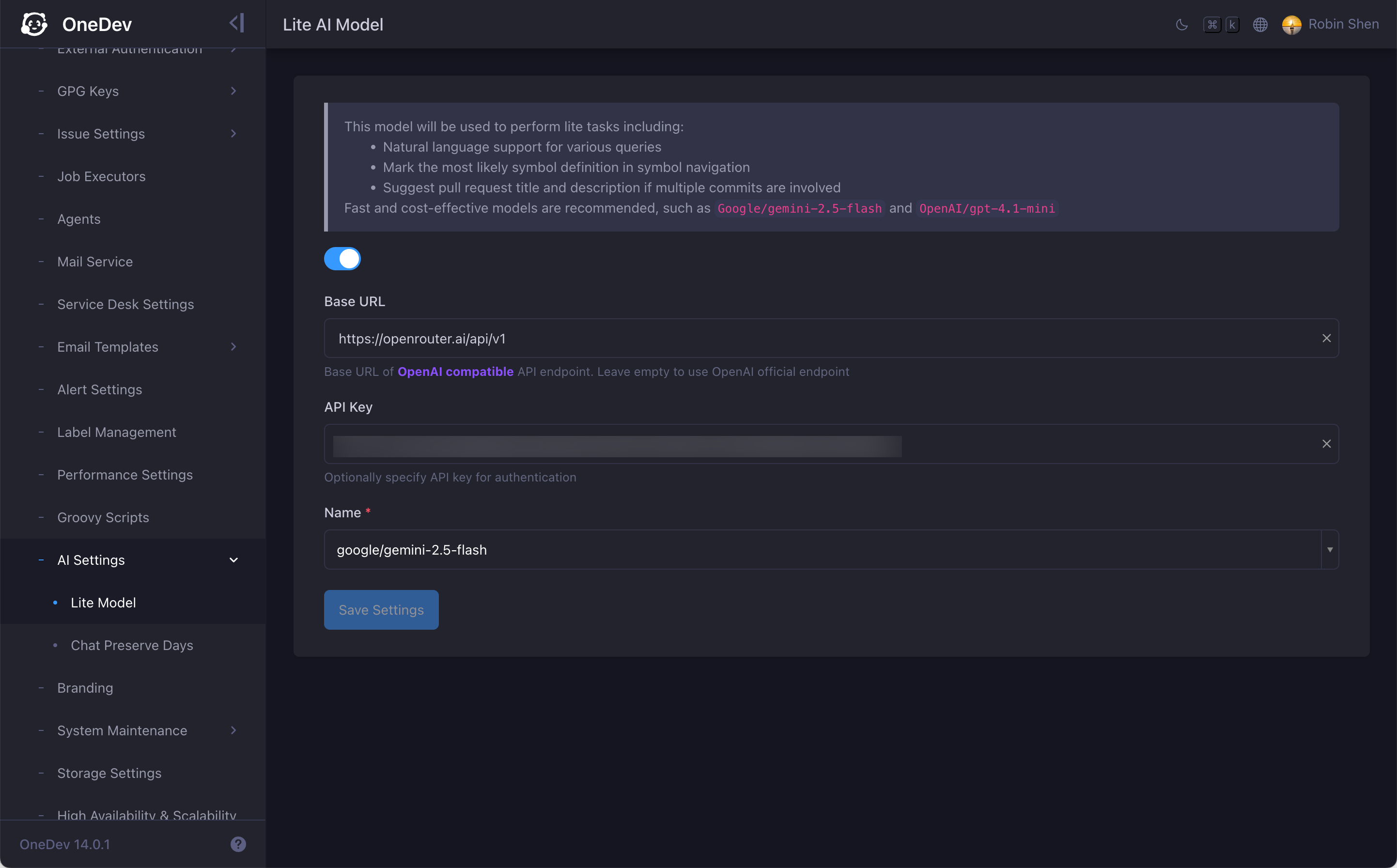
Specify an OpenAI-compatible API endpoint and, if required, an API key. OneDev uses the chat completions API and requires the endpoint to support HTTP/2 connections.
Choose a fast, cost-effective model suited for short, focused tasks. Models such as Google/gemini-2.5-flash and OpenAI/gpt-4.1-mini work well.
Once configured, OneDev uses the lite model for the following features.
Natural Language Queries
Many query boxes in OneDev accept structured query syntax. With the lite model configured, you can describe what you want in plain language instead. Press Tab to have OneDev translate your description into a structured query:
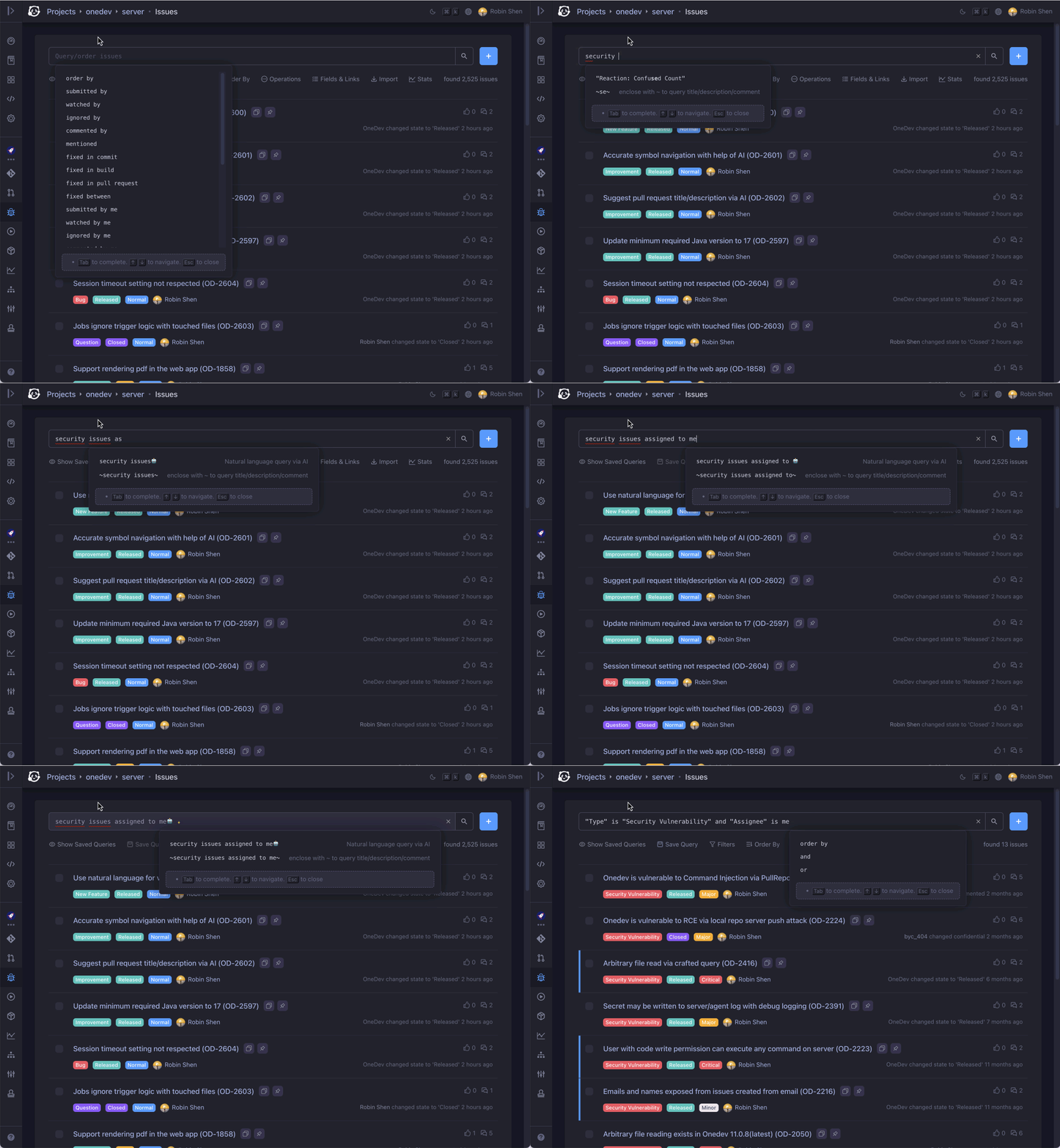
This works across query fields for issues, pull requests, commits, builds, projects, agents, artifact packs, and workspaces.
Issue Branch Name Generation
OneDev generates issue branch names as [prefix/]issue-<number>-<slug> when you click Create Branch on an issue, assign the issue to an AI user expected to change code, or run a CI/CD Create Branch step with Use generated branch name.
Without the lite model, the slug is derived by normalizing the title, with truncation on long titles. With the lite model, it produces a shorter, more readable slug and translates non-English titles first.
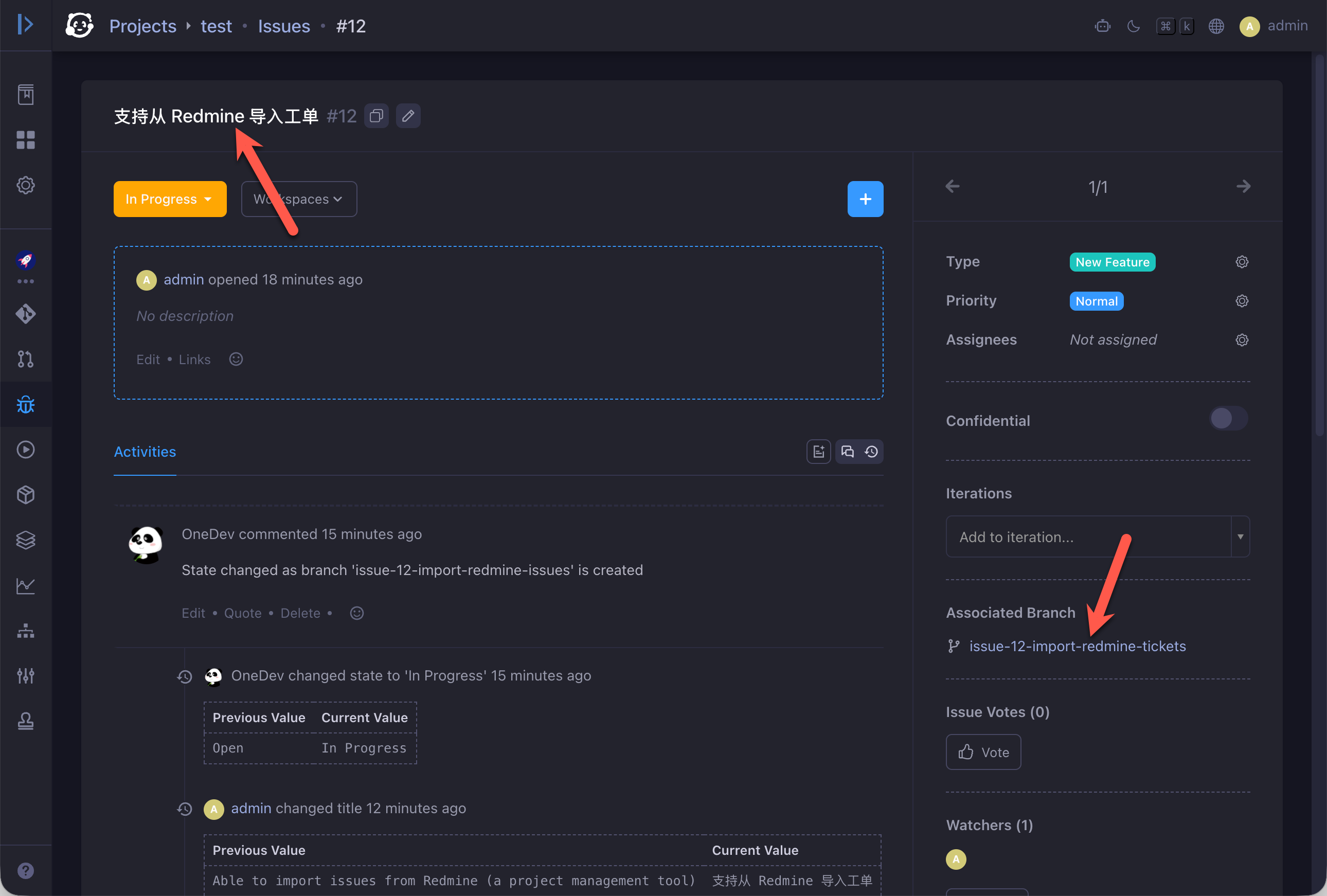
You can set an optional Branch Prefix in project issue settings (for example feature).
Pull Request Title and Description Suggestions
When you open a pull request that spans multiple commits, OneDev uses the lite model to suggest a title and description based on the commit messages:
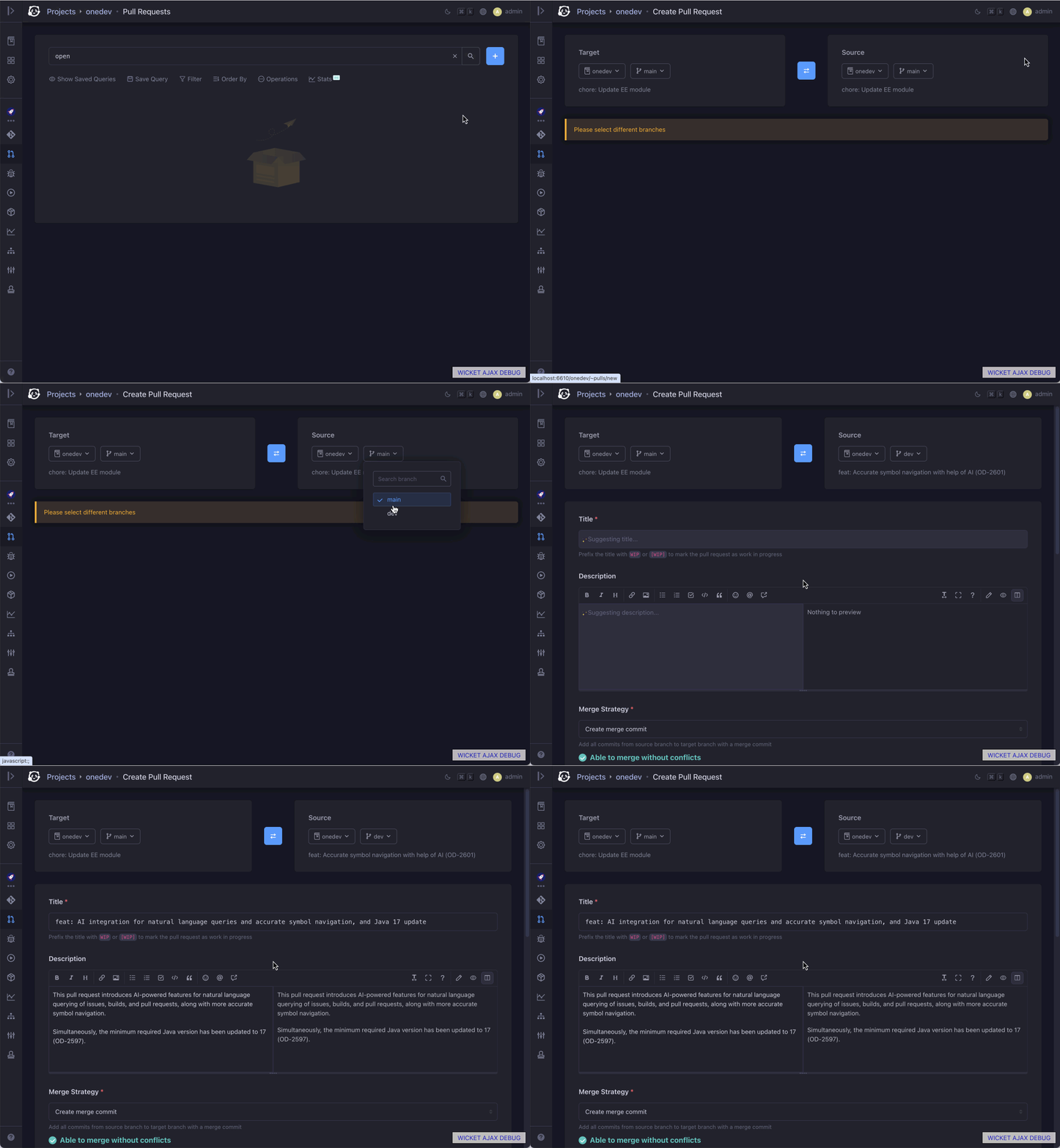
Configure Jev
Jev from TypeSafe AI makes structured choices from the options OneDev provides. Get an API key from the TypeSafe dashboard, then open Administration → AI Settings → Jev and enable the integration.
Enter your API Key, keep Base URL as https://api.typesafe.ai/v1, and click Save Settings:
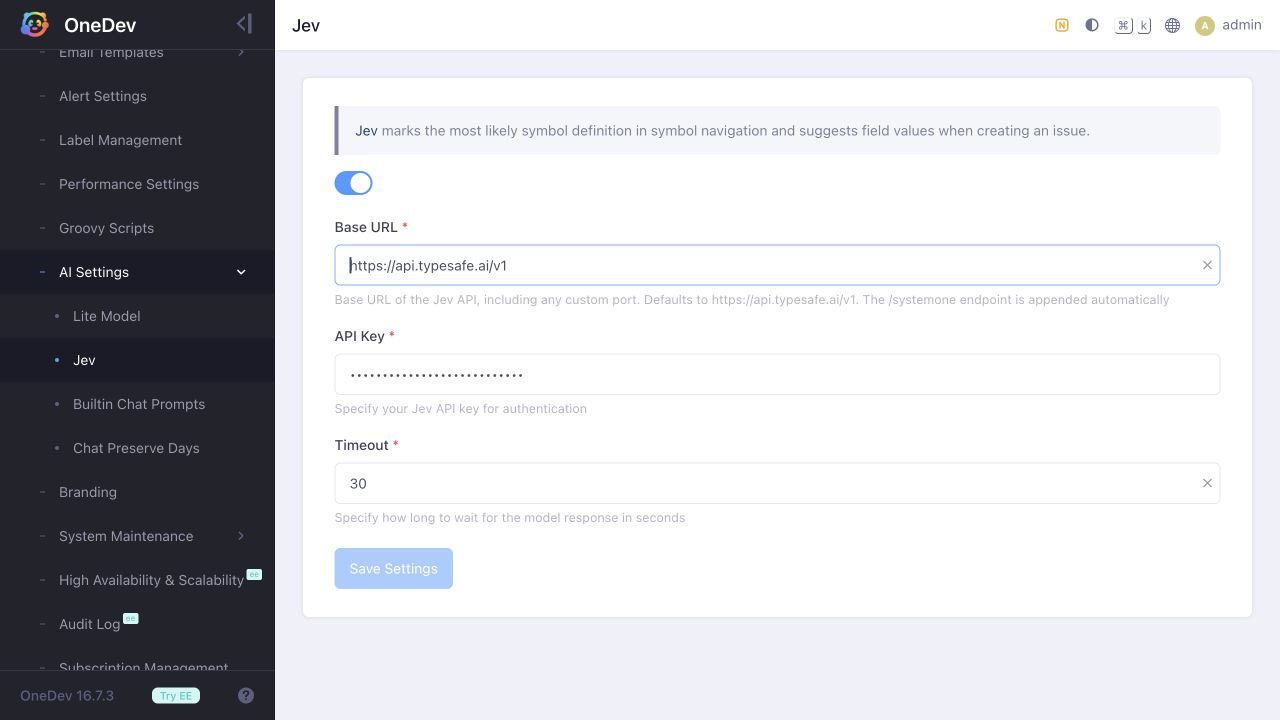
Once configured, OneDev uses Jev for the following features.
Issue Field Suggestions
Under Administration → Issue Settings → Fields, edit a choice field such as Type or Priority:
- Turn off Allow Empty Value to make the field required.
- Leave its Default Value unset.
- Give the field a clear description and meaningful choices to help Jev interpret it.
Open a new issue in your project and enter a title and description. OneDev automatically suggests values for eligible, empty fields. Existing selections are preserved, and you can change a suggestion before saving. If Jev cannot choose with at least 75% confidence, the field stays empty for you to fill in.
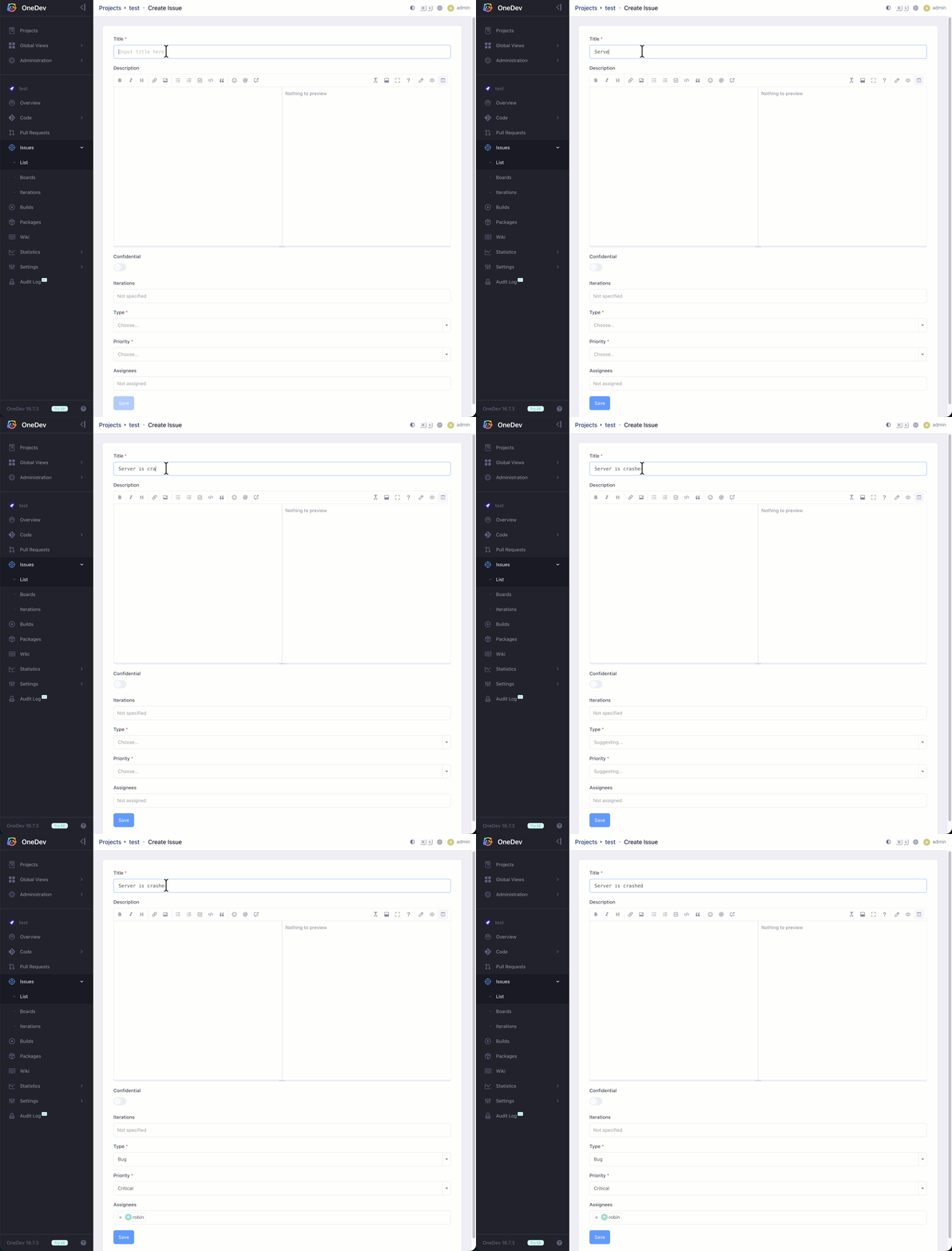
Once Jev has classified the issue, OneDev can also suggest assignees based on its Type or Priority. Configure the Assignees field to use a Groovy script as its default value, routing different classifications to the appropriate people. See Default Assignee for a step-by-step example you can adapt to these fields.
Fields for Issues Arriving by Email
First configure Administration → Mail Service with incoming email checking enabled, and enable Administration → Service Desk Settings. See Service Desk for mailbox and project routing setup.
In Service Desk Settings → Issue Creation Settings, add or edit the entry matching your project. For each choice field to populate automatically, select Decide by Jev and choose a fallback Default value. This option appears once Jev is configured. For example, use it for Type and Priority, with Support Request and Normal as fallbacks.
Save the entry and settings. When OneDev creates an issue from the mail inbox, Jev selects field values using the email-derived issue title and description. If confidence is below 75%, no choice fits, or Jev is unavailable, OneDev uses the fallback. These fallback values belong to the service desk rule; they do not require setting a default on the issue field itself.
Incoming email issues can also be routed to different assignees based on their Type or Priority using a Groovy default-assignee script, just like issues opened from the UI.
Accurate Symbol Navigation
When a symbol name has multiple definitions, OneDev lists the matches in both source and diff views. Jev uses the source context, imports, and enclosing scope to mark the most likely definition so you can jump to the right place faster. No additional symbol-navigation setup is needed after configuring Jev.
This refinement is much faster than the previous Lite Model approach, making it more practical to follow symbols while browsing code.
In this example, hovering over format(customerName) shows three overloads. Jev marks format(String) with a check because customerName is a String:
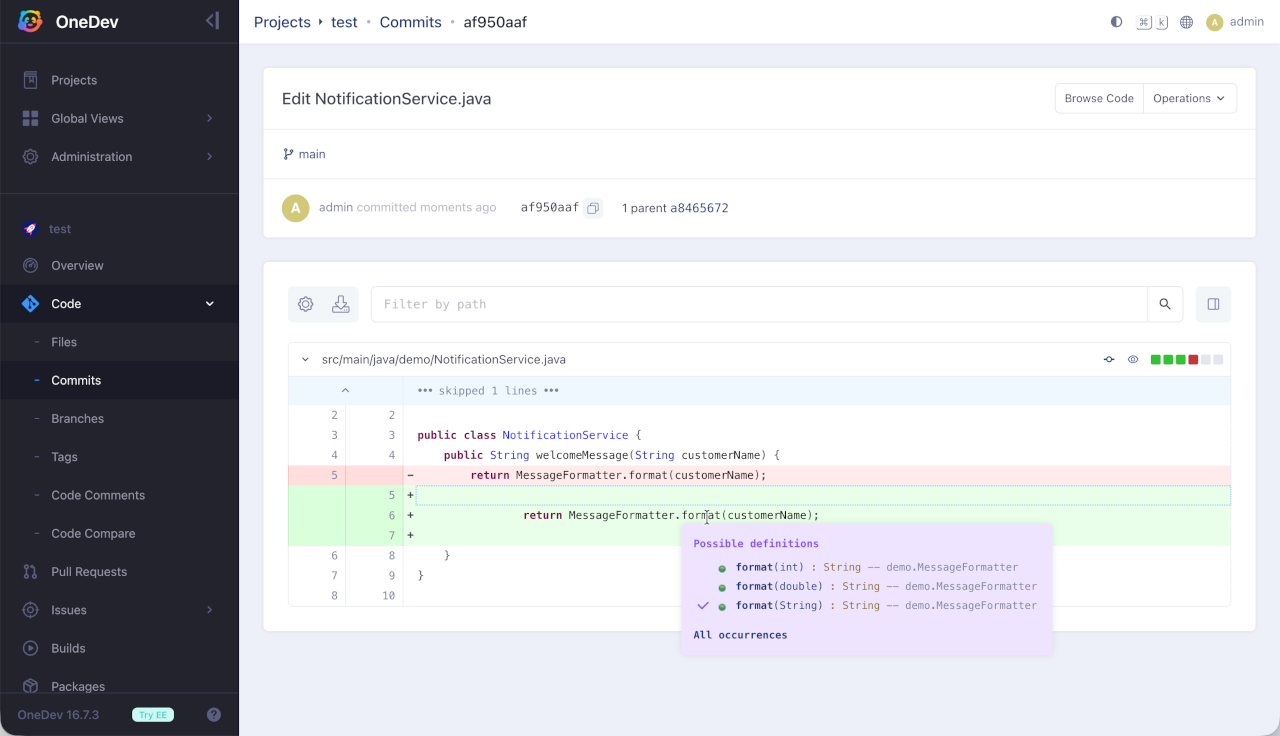
Symbol navigation refinement is now provided by Jev instead of the lite model. If you previously configured only the lite model, configure Jev to enable refinement. Without Jev, OneDev still lists the matches, but does not mark the most likely definition.
See Also
For AI user collaboration—issue/PR assignment, code review, CI/CD error fix, merge conflict resolve, and more—see Working with AI User.