Assign Issues to AI User
Assign an issue to an AI user to implement the work, open a pull request, respond to review feedback, and fix merge conflicts and CI/CD failures automatically.
Prerequisites
-
An AI user is created. See Working with AI User. The project must be entitled to the AI user, and the AI user must have Code Writer permission on that project.
-
A workspace is configured for the AI user for task automation. See Collaborate with AI User in Issue/PR Context.
Work on the Issue
Assign an issue to an AI user, or mention it in a comment (for example, @aibot work on this issue). The AI user verifies that the requester is entitled to interact with it. If so, it creates a workspace for the task, as shown in the issue's Workspaces menu:
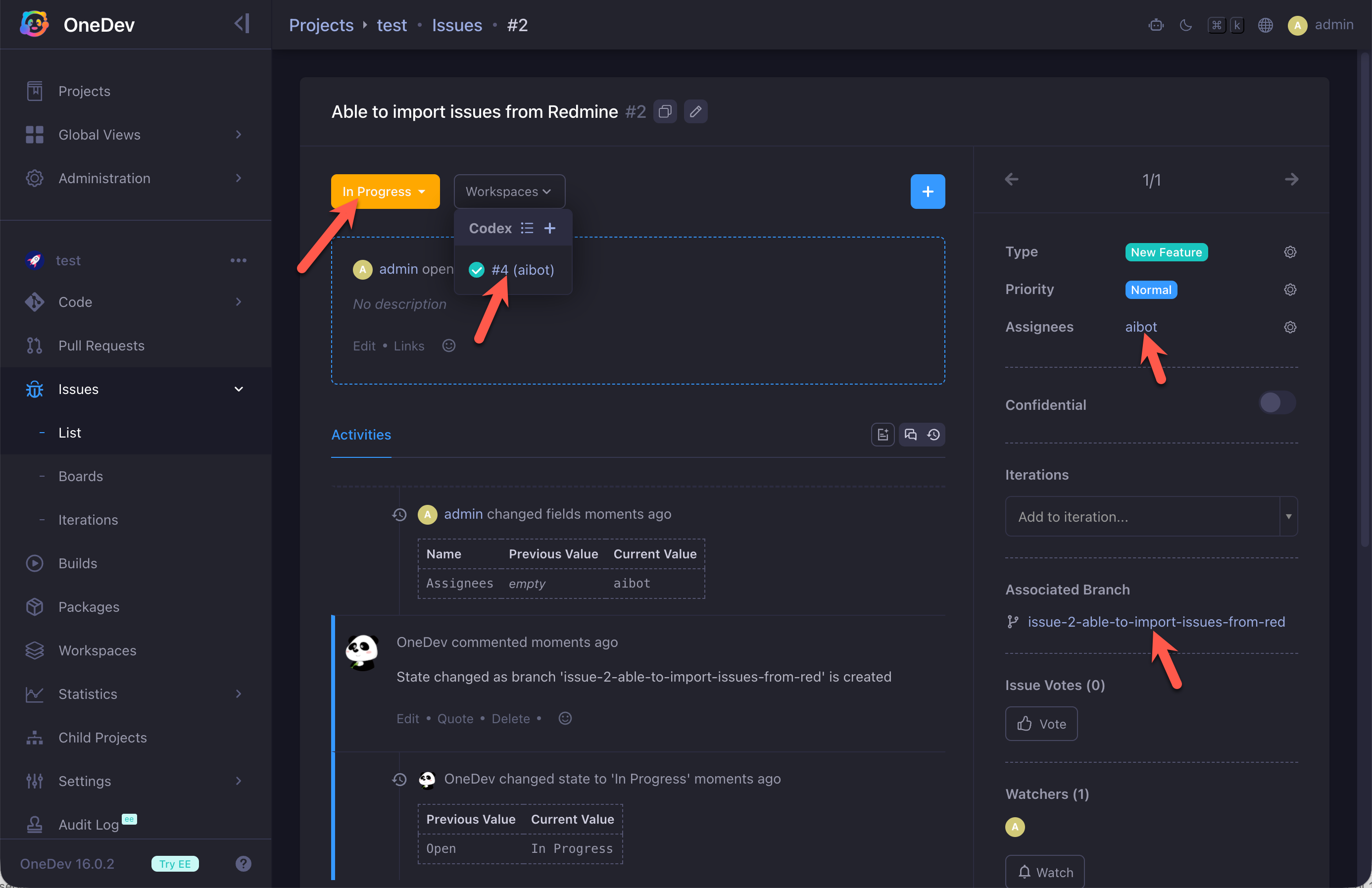
While working, the AI user may create an issue branch if code changes are required. With the default issue workflow, this transitions the issue to Work in Progress.
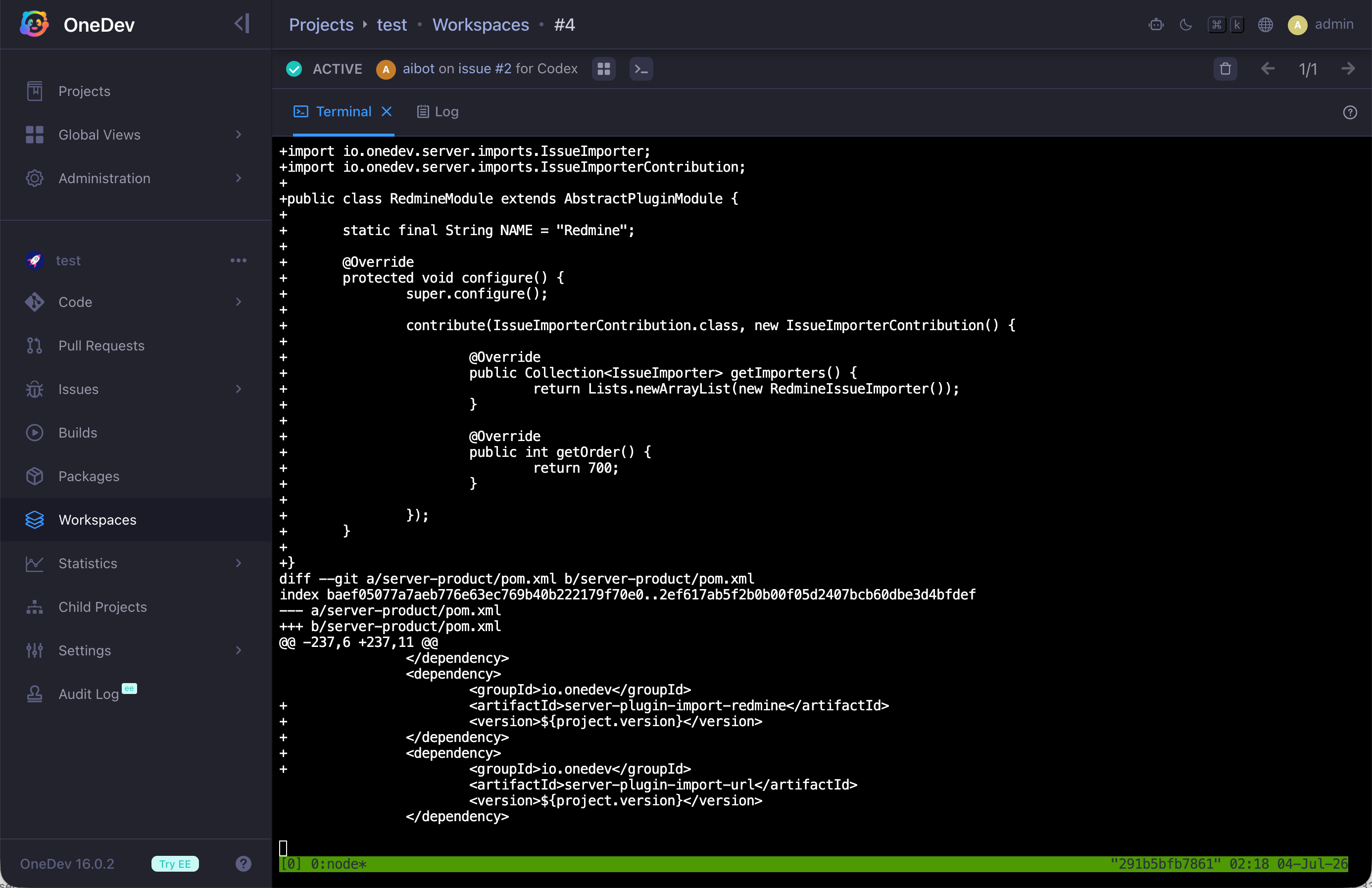
Open the workspace from the Workspaces menu to see what the AI user is doing:
- You can customize issue field settings to auto-assign certain issues to an AI user. See the Default Assignee tutorial.
- OneDev generates issue branch names from the issue title. For long or non-English titles, configure the lite AI model to produce shorter, correct, and more readable branch names.
Open a Pull Request
When the work finishes, the AI user opens a pull request with the code changes. OneDev then deletes the workspace, and the default workflow transitions the issue to In Review:
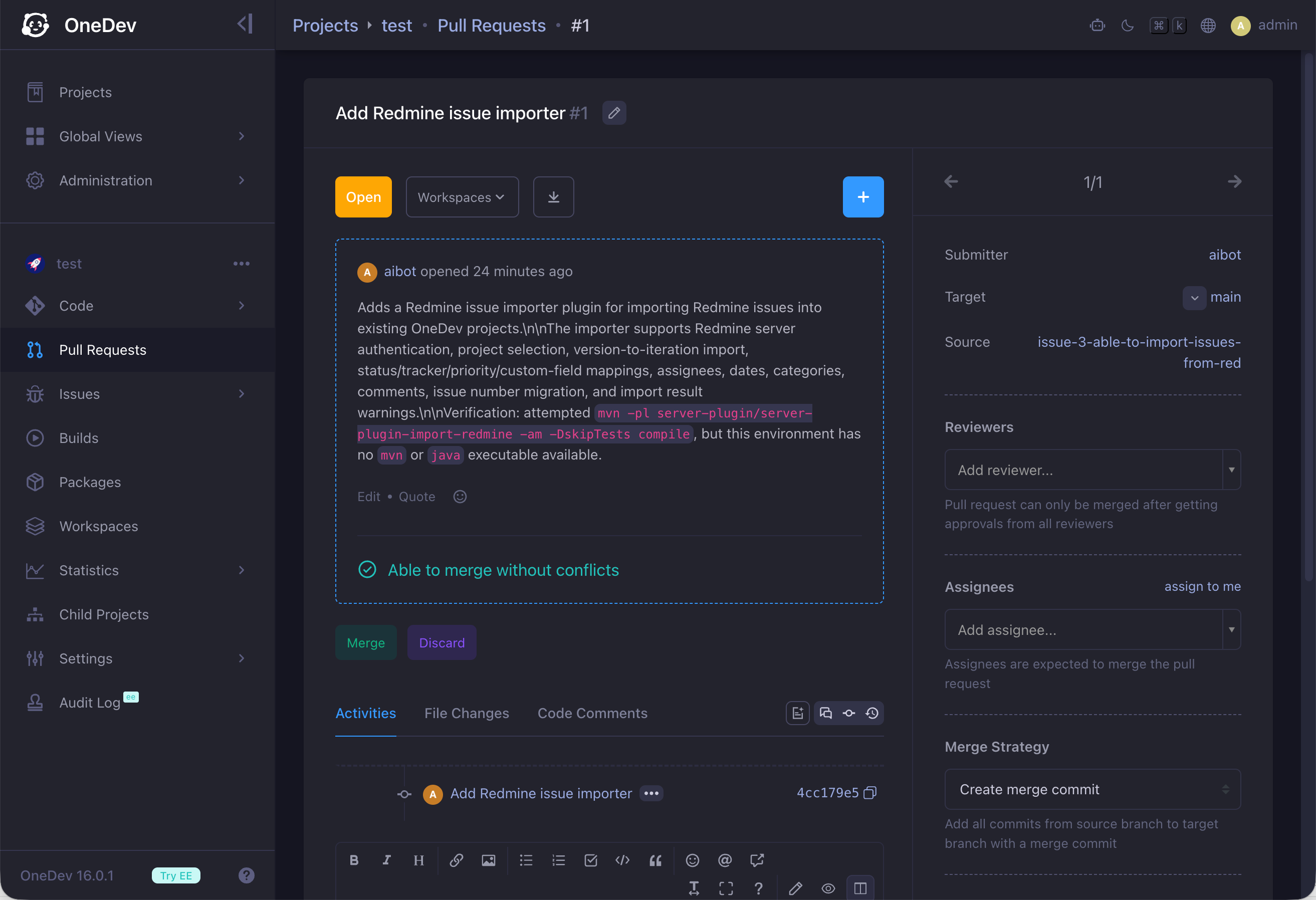
OneDev deletes the workspace only when the task completes successfully. To keep the workspace after a successful run, disable Delete Workspace if Succeeded in the corresponding workspace spec. This is useful when the task completed but the result was not what you expected.
Review and Iterate
At this point, a human reviewer or another AI user can review the changes, add line-anchored comments, and mention the AI user to request changes. The AI user creates a new workspace, reviews each comment, and updates the code when needed. See Review or Merge Pull Request for details on AI-driven review workflows.
Fix CI/CD Failures and Merge Conflicts
If the pull request runs CI/CD jobs, the AI user attempts to fix failed builds and push the fix to the source branch. It also tries to resolve merge conflicts and push the result to the source branch.
This automatic remediation runs when the AI user is the pull request submitter—which is the case when it opens the pull request after completing assigned issue work. For broader CI/CD failure handling, see Fix Failed Builds via AI User.