Fix Failed Builds via AI User
Configure a CI/CD job to create an issue when a build fails and assign it to an AI user. The AI user investigates the failure by checking build logs, source files, build reports (including dependency vulnerability reports), and dependent jobs. It then proposes a fix and opens a pull request to the relevant branch—or pushes directly to the branch if you specify that in the issue description.
Prerequisites
-
An AI user is created. See Working with AI User. The project must be entitled to the AI user, and the AI user must have Code Writer permission on that project.
-
A workspace is configured for the AI user for task automation. See Collaborate with AI User in Issue/PR Context.
Configure Post-Build Action
Add a post-build action to the relevant CI/CD job to create an issue when the build fails:
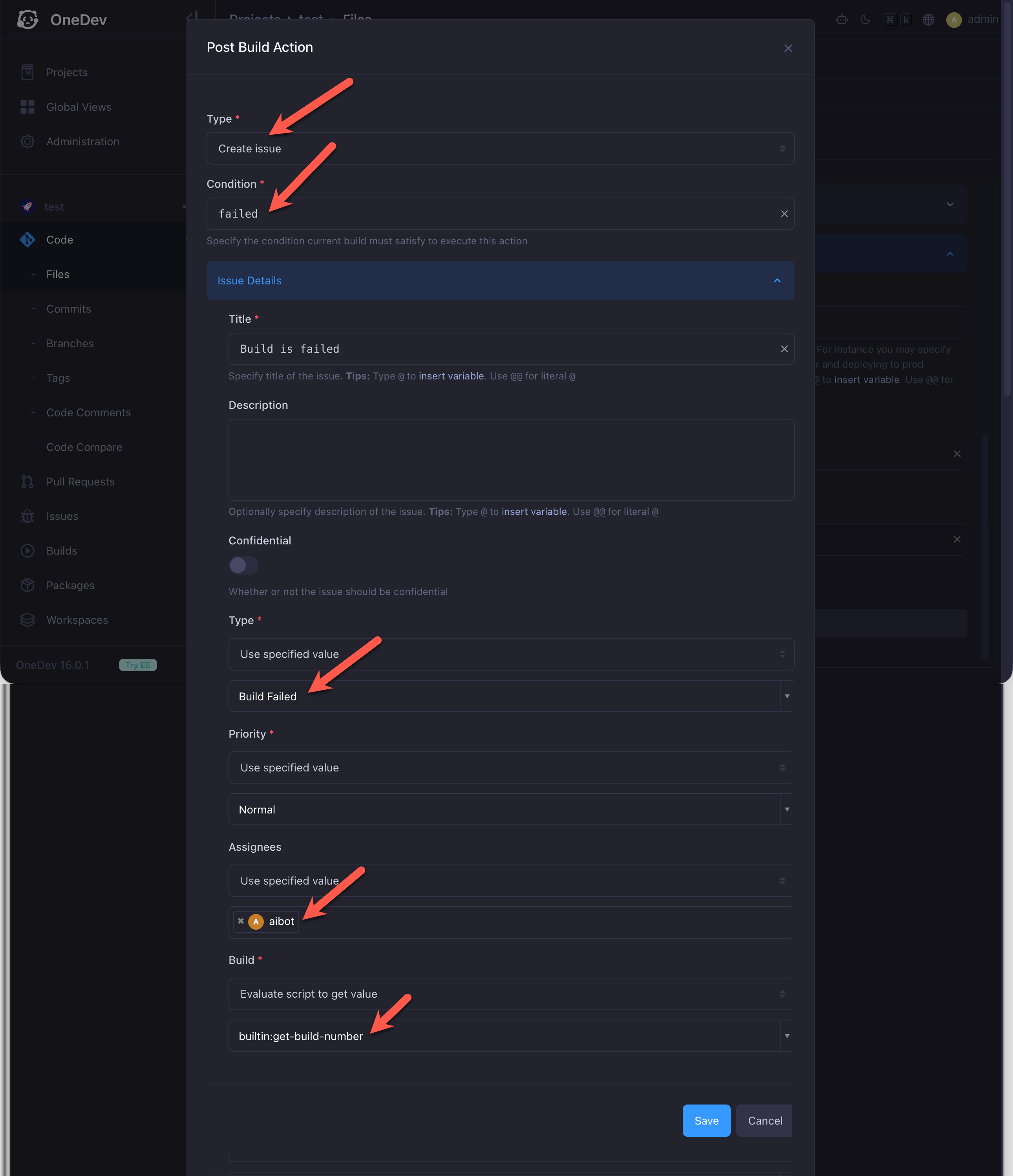
Set the issue type, assignee, and build fields as needed. When a build fails, OneDev creates an issue assigned to the AI user. The AI user investigates the failure, implements a fix, and opens a pull request to the relevant branch—the same flow as when you assign an issue to the AI user:
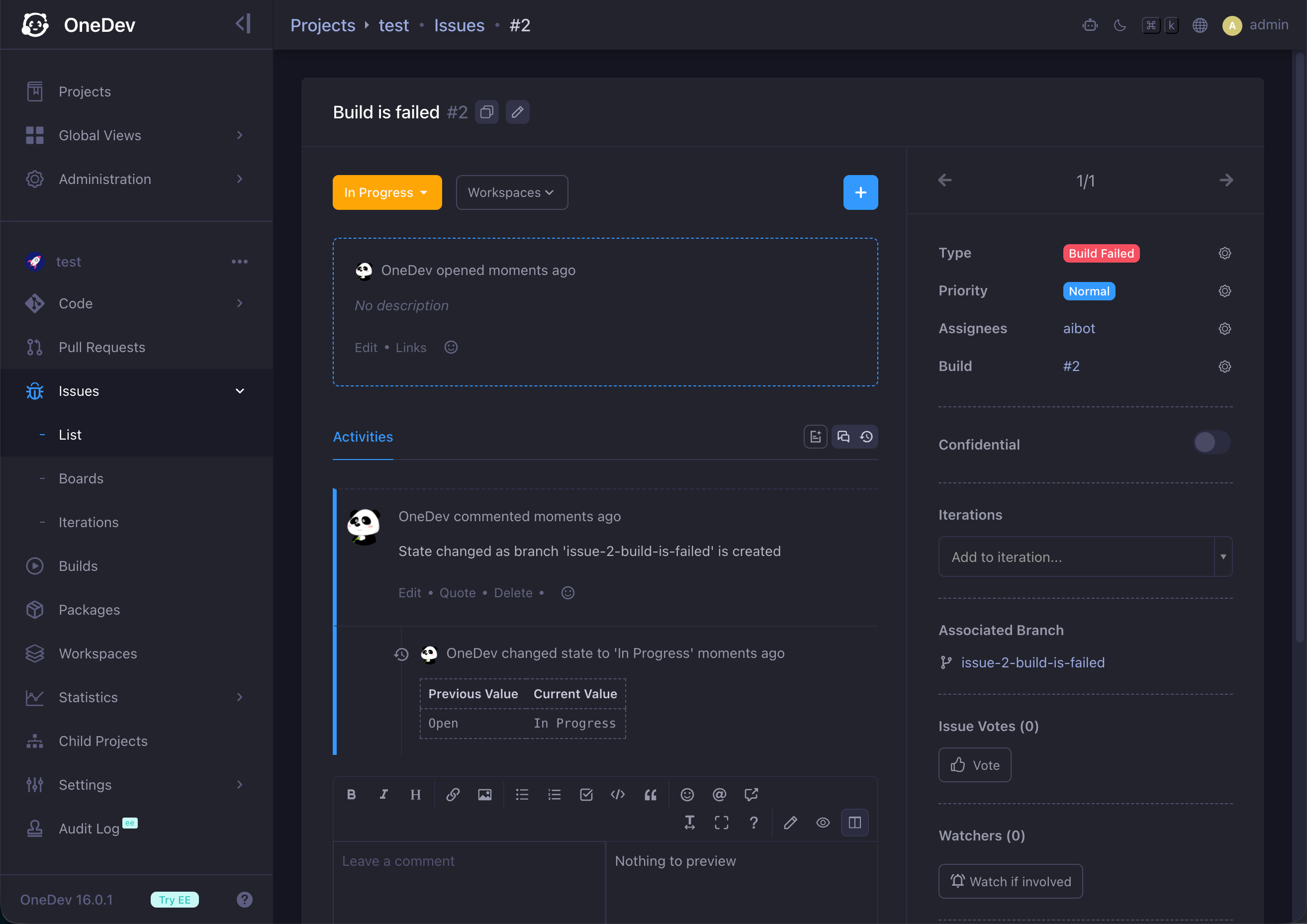
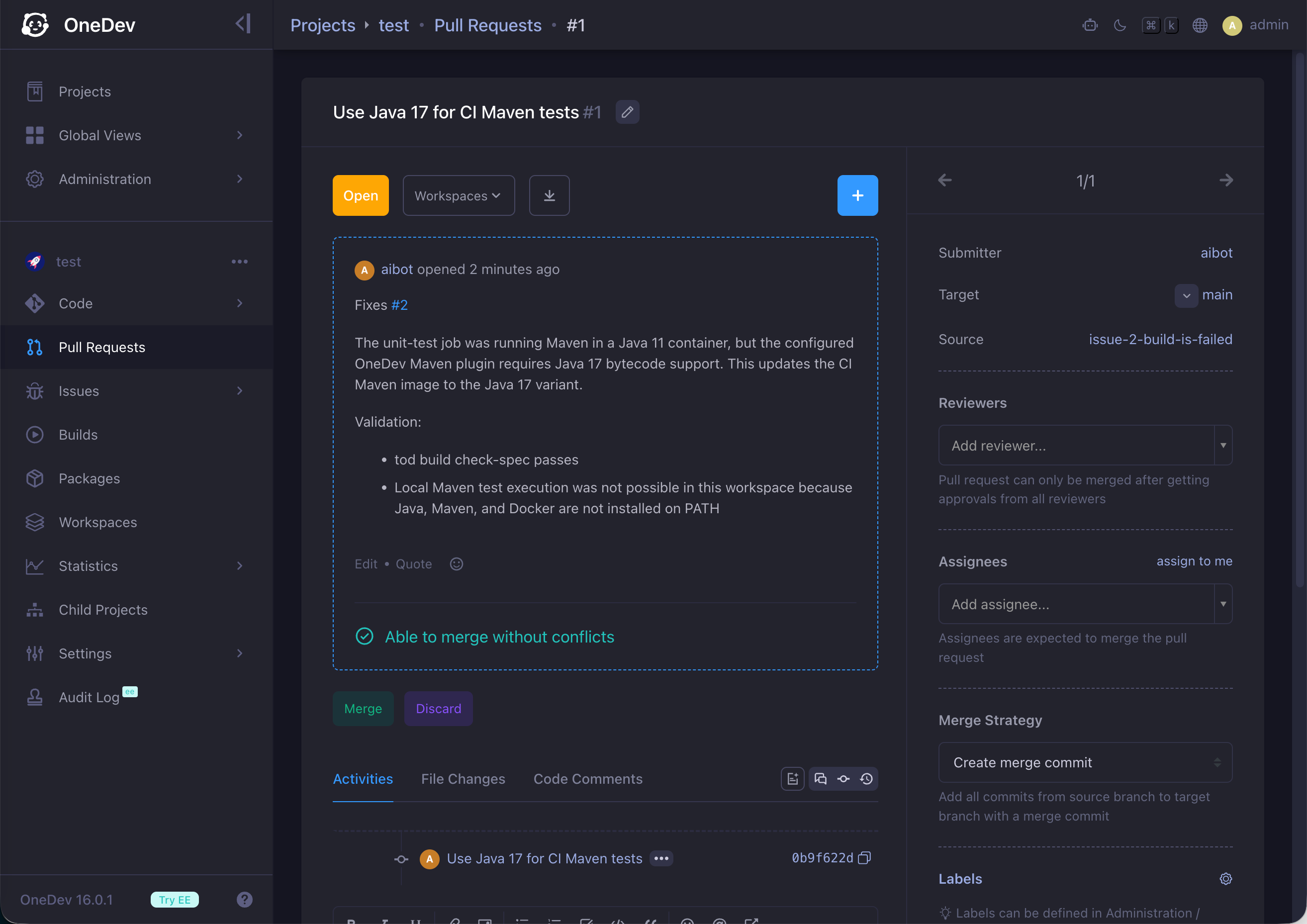
With the default issue workflow, the issue closes automatically when the pull request is merged.
Workflow Optimization
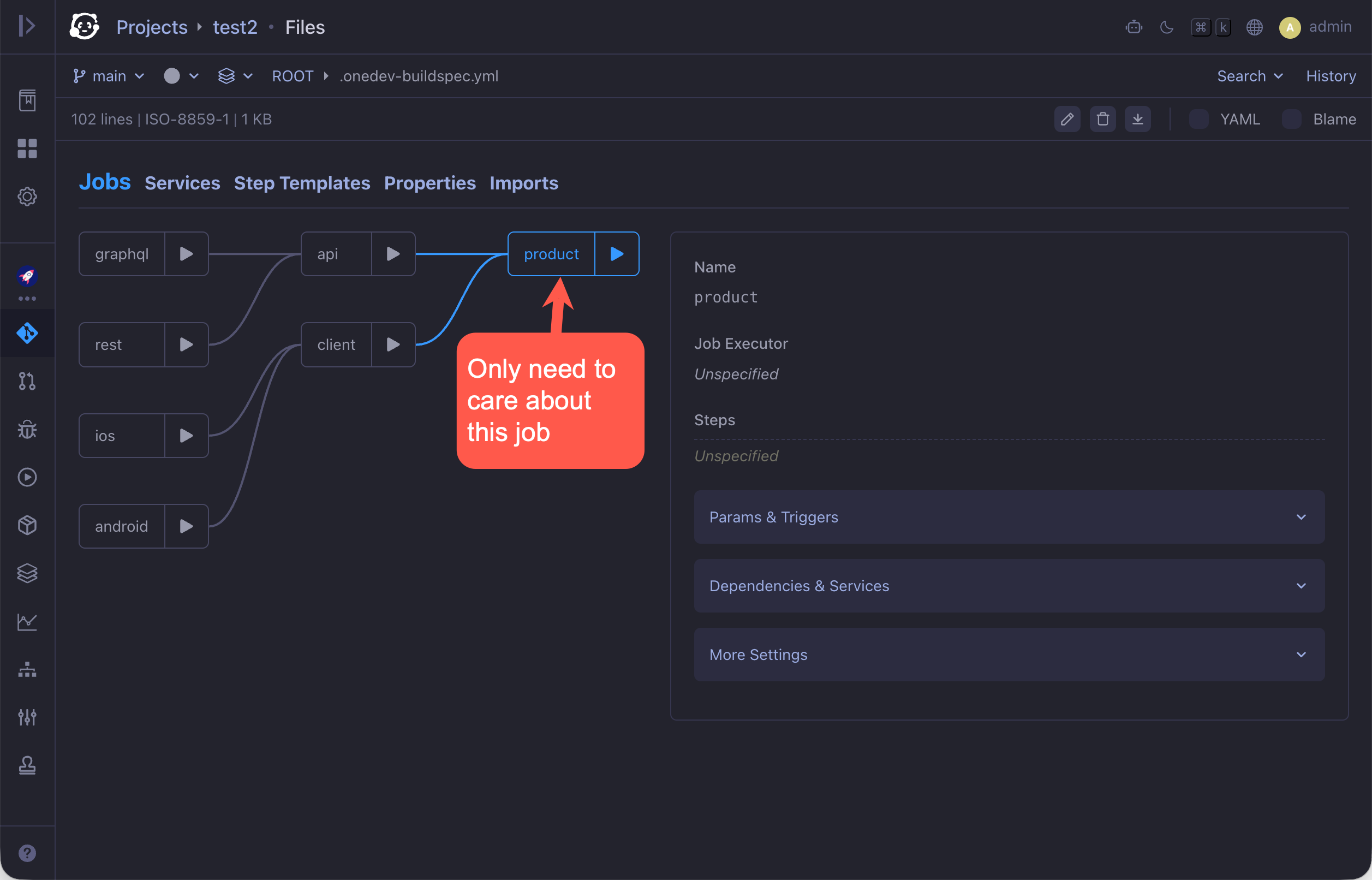
Configure only the downstream job
In a job dependency graph, configure only the downstream job to create an issue on failure when the downstream job requires upstream jobs to succeed. If the downstream job fails because an upstream job failed, the AI user checks upstream jobs recursively to find the root cause and fix it. This keeps the configuration simple and avoids creating multiple issues—and using extra tokens—for the same failure chain.
Exclude builds belonging to AI pull requests
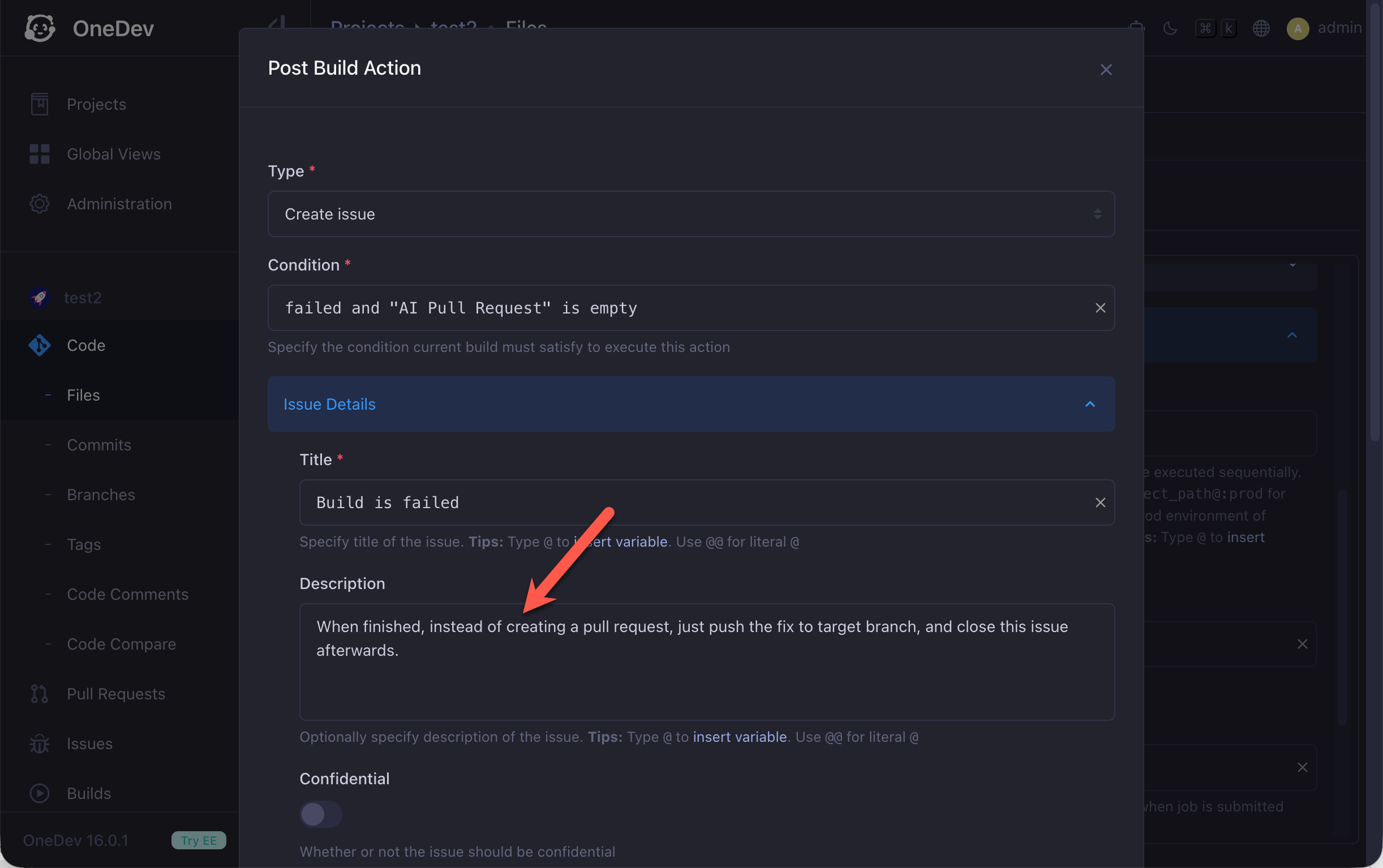
If a failing build belongs to a pull request submitted by an AI user, skip creating an issue. The submitting AI user will fix CI/CD failures on its own pull requests automatically. Set the post-build action condition to:
failed and "AI Pull Request" is empty
Push fixes directly to the branch
To push the fix directly to the relevant branch instead of opening a pull request, describe that in the issue description: