Python Support
OneDev indexes Python symbols and displays CI reports alongside source code. This tutorial uses the public Poetry repository to demonstrate symbol search, job templates, unit tests, coverage, and Ruff annotations.
Prepare the Project
Use a OneDev server with a Docker-capable job executor. If you are starting a local server with Docker:
docker run -it --rm -v /var/run/docker.sock:/var/run/docker.sock -v ./onedev:/opt/onedev -p 6610:6610 -p 6611:6611 1dev/server
Complete the setup, then import https://github.com/python-poetry/poetry into a project. You can also create a project and push a clone to its Git URL. The examples below use a local project named tutorial-poetry; substitute your own project path.
Upstream branches change over time. Record the imported commit when reproducing results, and check its Python and dependency requirements before choosing the build image. The example reviewed here uses Poetry commit be56ff07db06e9b82574648433ca228e4cac549b.
Code Analysis and Navigation
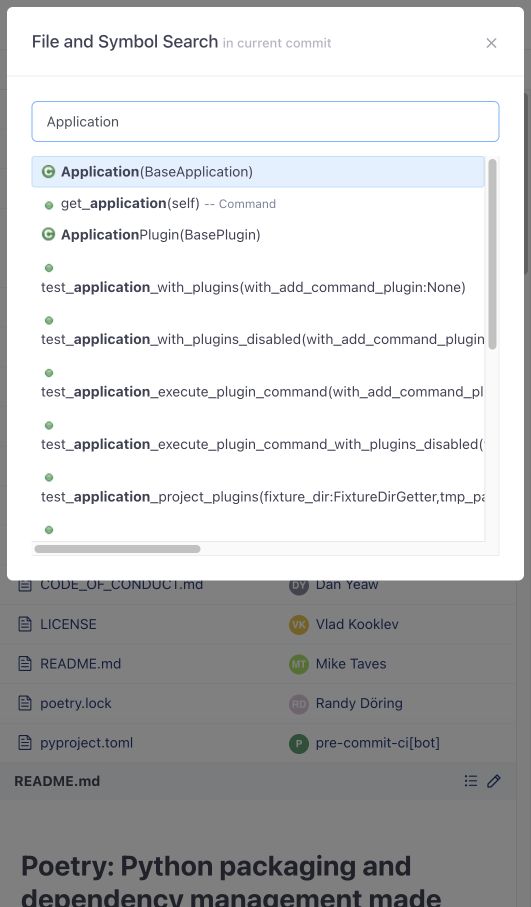
Open the repository's Files page. Wait for revision indexing to finish, then press T to search files and symbols. Search for Application and select the class in src/poetry/console/application.py.
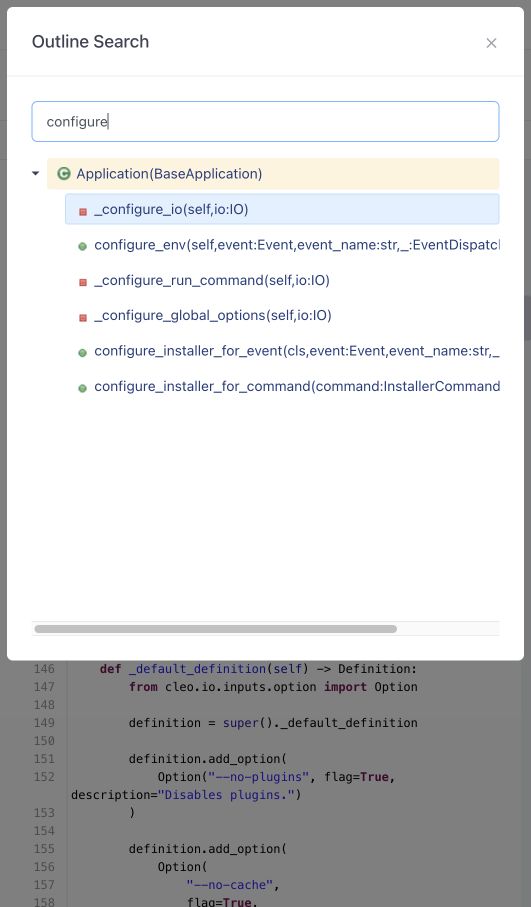
The source view highlights the selected definition. Press O to search the current file's outline; for example, search for configure to find matching methods.
Generate and Run a CI Job
At the repository root, choose adding .onedev-buildspec.yml, then use the suggestion control beside Add New and select python ci. OneDev inspects files such as poetry.lock, pyproject.toml, tox.ini, requirements.txt, setup.py, and setup.cfg to suggest a starting job.
For Poetry, review the build and test step, the dependency cache, and report publishers. The template installs dependencies, runs tests, and produces JUnit and Cobertura reports. Version detection reads [project].version, with [tool.poetry].version supported for older Poetry projects.
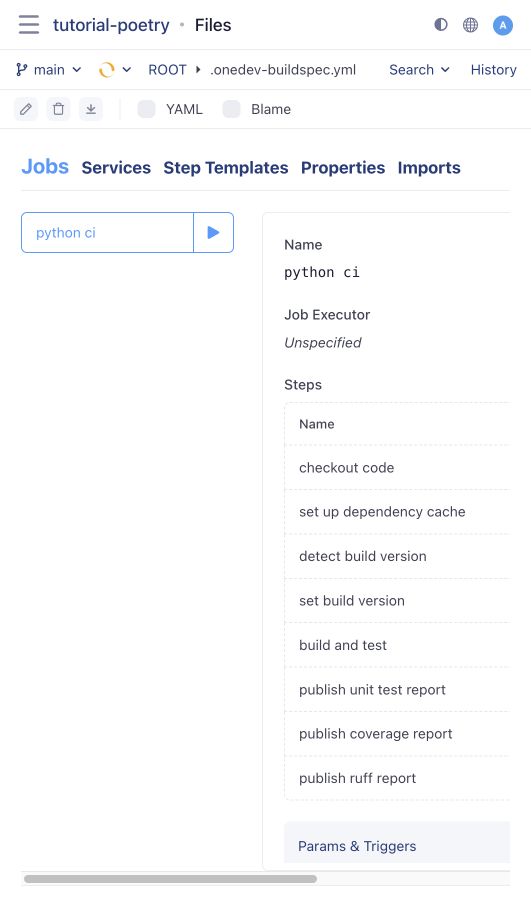
Save and commit the build spec. Its branch-update trigger starts a build; the template also includes a pull-request-update trigger. Open the build from the commit's status indicator or the Builds page.
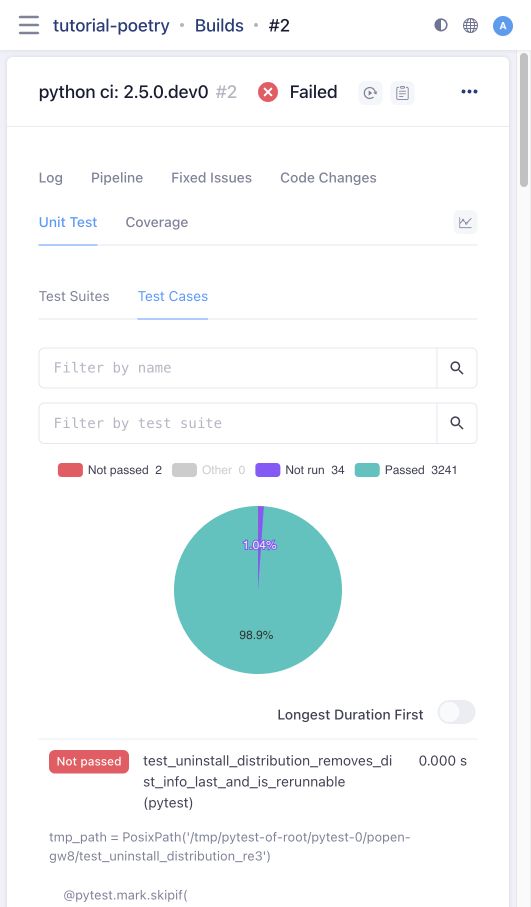
A template is a starting point: adjust its image and commands for the imported revision. Do not assume the upstream test suite will pass unchanged in every container. In the reviewed example, 3,241 tests passed, 34 were skipped, and two failed under the template's root container user. Open Unit Test > Test Cases to inspect individual failures instead of disabling them to obtain a green build.
The Coverage tab shows overall and per-package coverage. Open a package and then a file to inspect covered and uncovered lines.
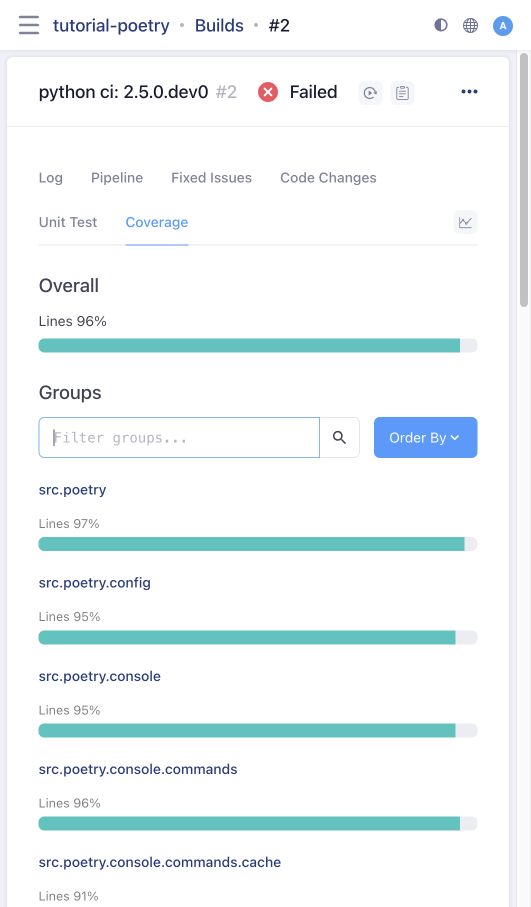
Keep report-publishing steps set to Always. The commands must also generate report files before returning the test failure status. If updating an older build spec that exits immediately after a failing pytest, use this pattern after dependency installation:
set -e
test_status=0
poetry run pytest --cov --junitxml=./pytest-result.xml || test_status=$?
poetry run coverage xml
# Enable the next line to publish lint findings:
#poetry run ruff check --no-fix --exit-zero --output-format=json --output-file=ruff-result.json --exclude=.git
exit $test_status
This preserves a failed build when tests fail while allowing coverage and lint reports to be generated. The report tabs' chart links open statistics across builds.
Ruff Reports and Source Annotations
Uncomment the poetry run ruff check line in the build step. Use the double hyphens exactly as shown above. --no-fix prevents project settings such as Poetry's fix = true from silently fixing violations and changing the files being reported. --exit-zero allows the report publisher to apply its Fail Threshold; it does not mean lint findings are ignored by OneDev. The suggested Ruff publisher fails on Medium severity or higher.
To demonstrate a finding in a disposable copy of Poetry, add an unused import fractions after from __future__ import annotations in src/poetry/console/application.py. Commit the change. Open the resulting build's Ruff tab to inspect its findings. Do not rely on removing a particular ignored rule from upstream configuration, as that configuration changes over time.
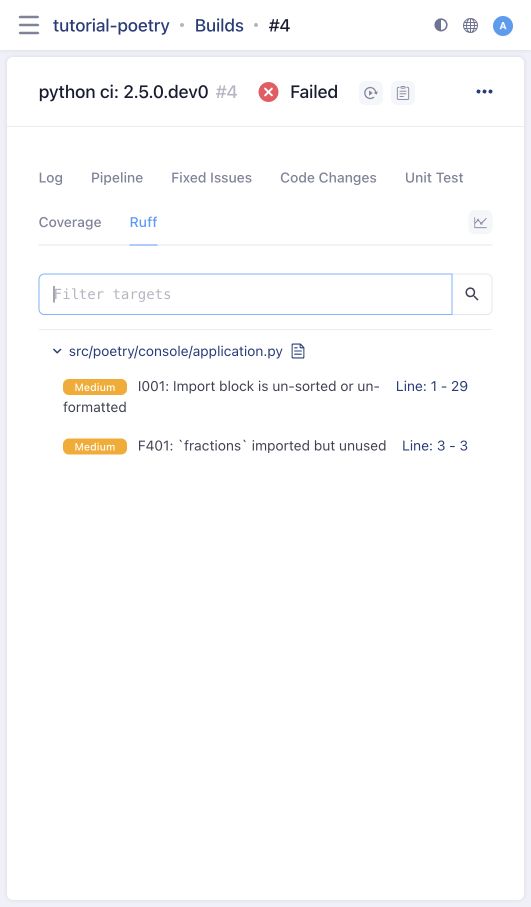
Click a finding's line link to open the source. Click the warning icon beside the line to see its message; coverage gutters also show which executable lines were covered. Matching reports can annotate pull-request diffs as well.
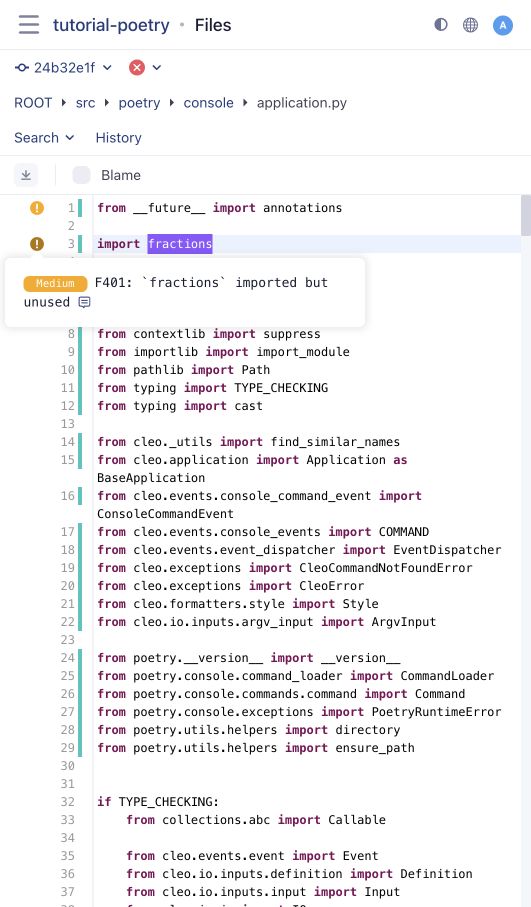
Remove the deliberate unused import after the demonstration.