Golang Support
OneDev provides Go symbol search, a searchable code outline, suggested CI jobs, and unit-test, coverage, and lint reports. Reports can annotate the corresponding source code and pull request changes.
This tutorial uses the public grpc-go repository. The example below was checked at commit 4e49413dcab793ba19d466636d0535674928747a, whose go.mod specifies Go 1.25.0. Results can change with the upstream revision and tool versions.
Prepare the Repository
Use a OneDev installation with a working Docker executor. Create an empty project, such as tutorial-grpc-go, and import the public Git repository from URL. Alternatively, push a full local clone to the project's HTTP clone URL:
git clone https://github.com/grpc/grpc-go.git
cd grpc-go
git remote add onedev <your-OneDev-project-clone-URL>
git push onedev HEAD:refs/heads/main
Authenticate to OneDev with an account allowed to write the project. The public upstream clone does not require a GitHub token. The destination project path is your choice; a parent named grpc is not required.
Search and Navigate Code
Open Code / Files and wait for indexing to finish. Press T, enter Security, and select the Security definition in channelz/grpc_channelz_v1/channelz.pb.go:
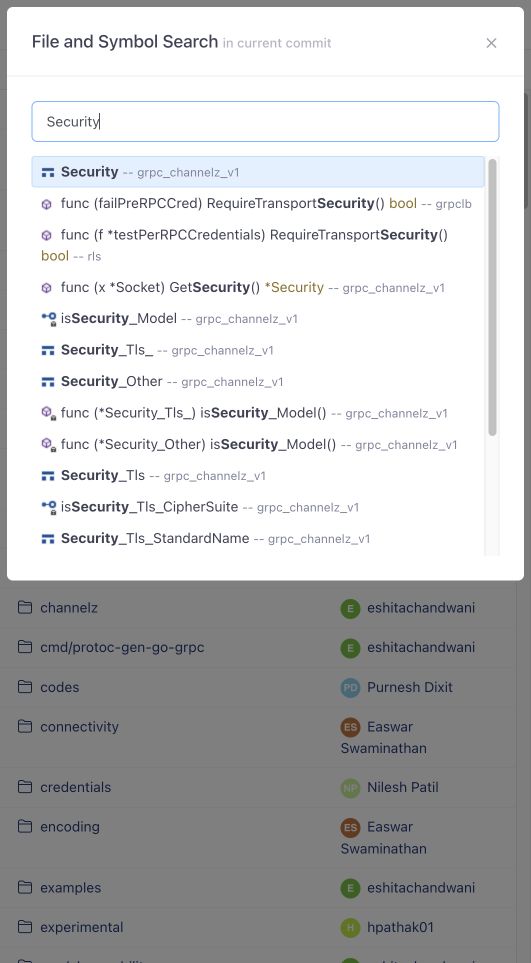
OneDev opens the definition in the source view. Press O to open the current file's outline and filter it by name:
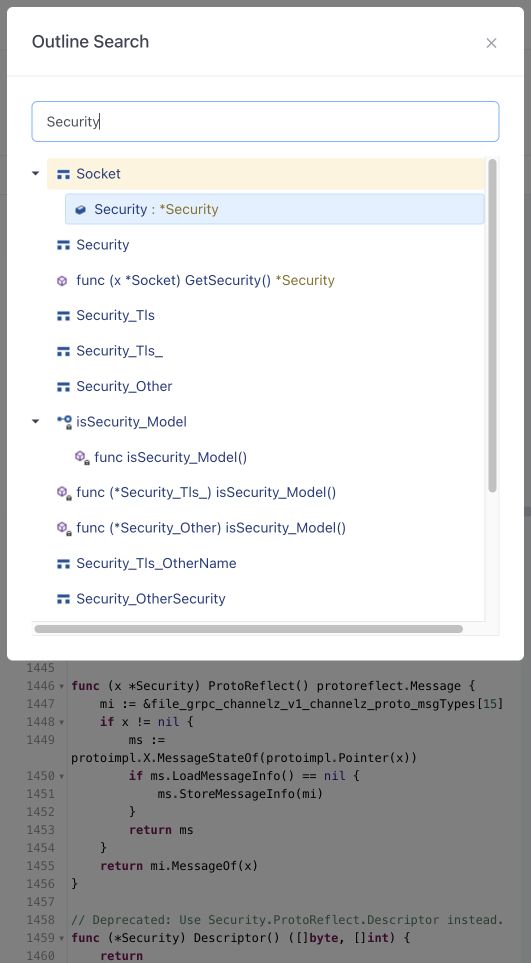
Generate and Run a CI Job
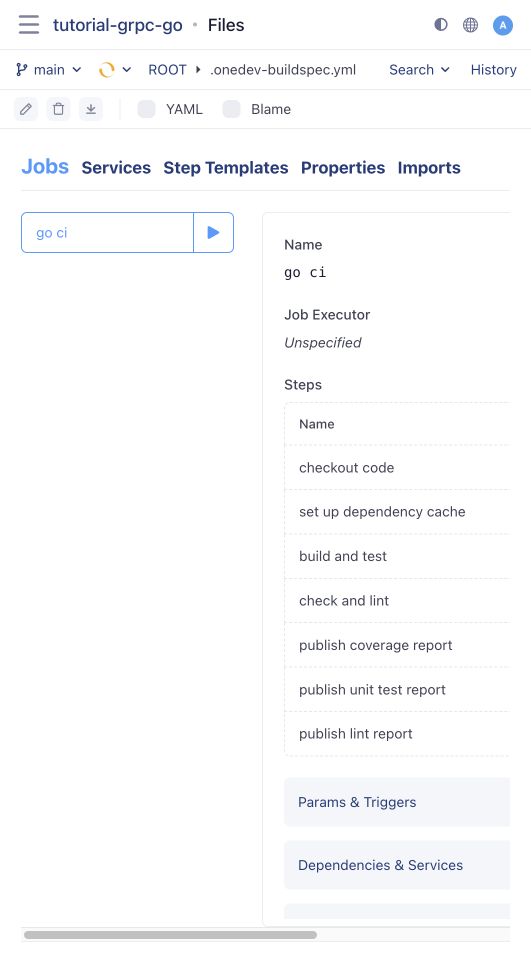
At the repository root, click adding .onedev-buildspec.yml. In Jobs, open the dropdown beside Add New and select go ci. OneDev suggests this job after detecting go.mod.
The generated job checks out the code, caches dependencies, runs tests, and publishes coverage and JUnit reports. Its check and lint step starts with condition Never. Save and commit the generated build spec. The branch-update trigger starts a build automatically.
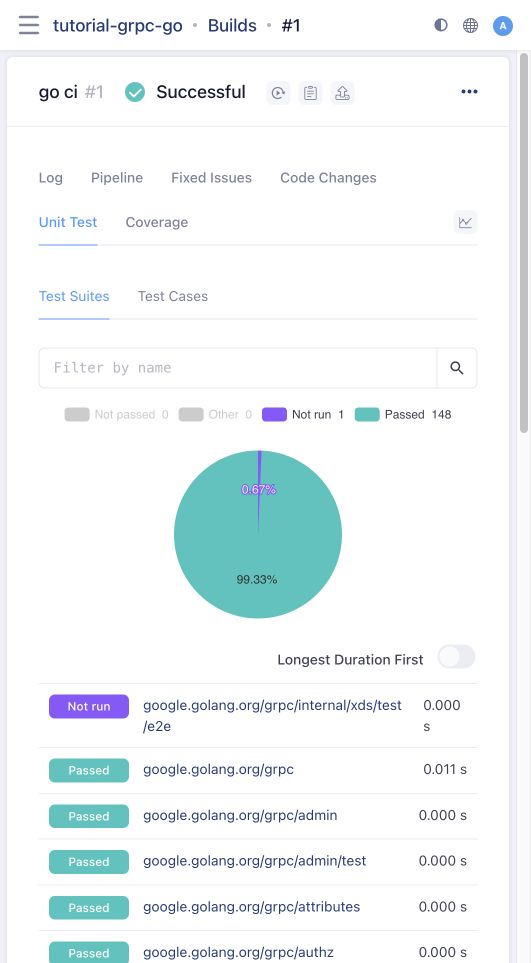
Open the build's Unit Test tab after it finishes. In this run, 148 suites passed and one suite had no executed tests:
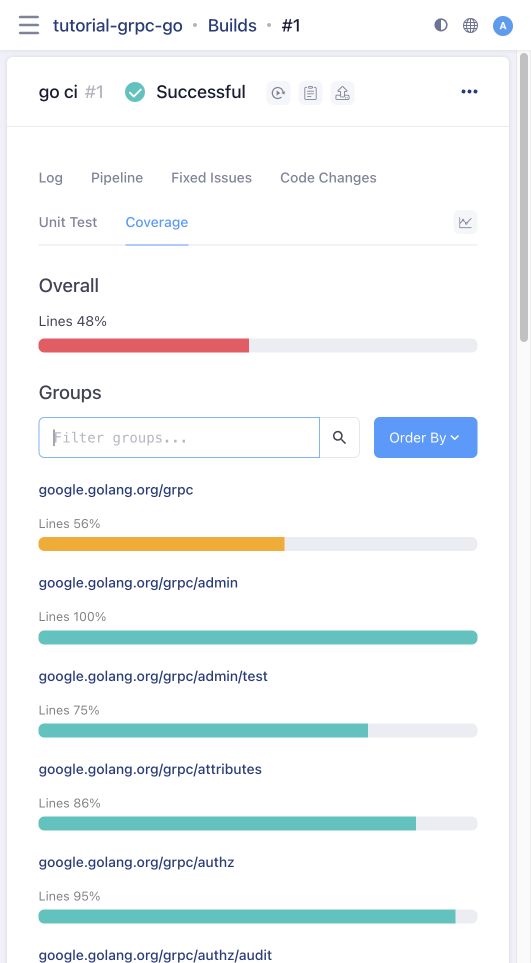
The Coverage tab shows overall coverage and lets you filter or order groups. This revision reported 48% overall line coverage:
Check the Log if a build fails. A test failure, report threshold, image download failure, and executor cleanup failure are different causes; a report being present does not by itself mean the job passed.
Enable Lint Reports
Edit the check and lint step and change its condition from Never to Successful. Keep the generated command:
golangci-lint run --timeout=10m --issues-exit-code=0 --output.checkstyle.path lint-result.xml
The command writes Checkstyle XML even when it finds violations. The subsequent publish lint report step controls whether their severity fails the job; its default threshold is High. Save and commit, then open the new build.
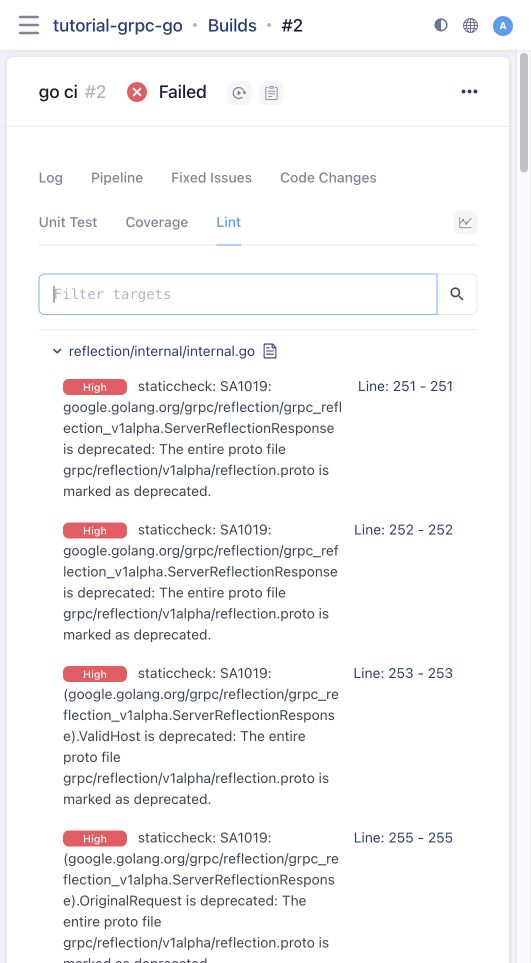
The verified run reused the dependency cache and found 103 lint issues. The lint command completed successfully, and report publishing failed the build because high-severity findings exceeded the threshold. Your counts may differ:
Click a finding's line-number link to open the exact build revision, then click its gutter marker to see the diagnostic. Coverage markers also show which lines were exercised:
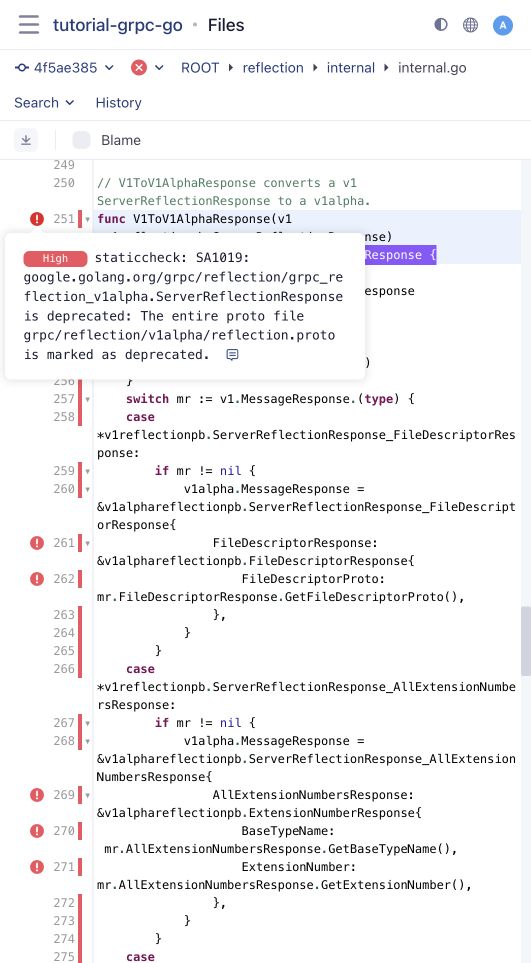
Use the report's source links when comparing results: viewing a newer branch revision may show different code. Applicable report information is also available when reviewing pull request diffs.